
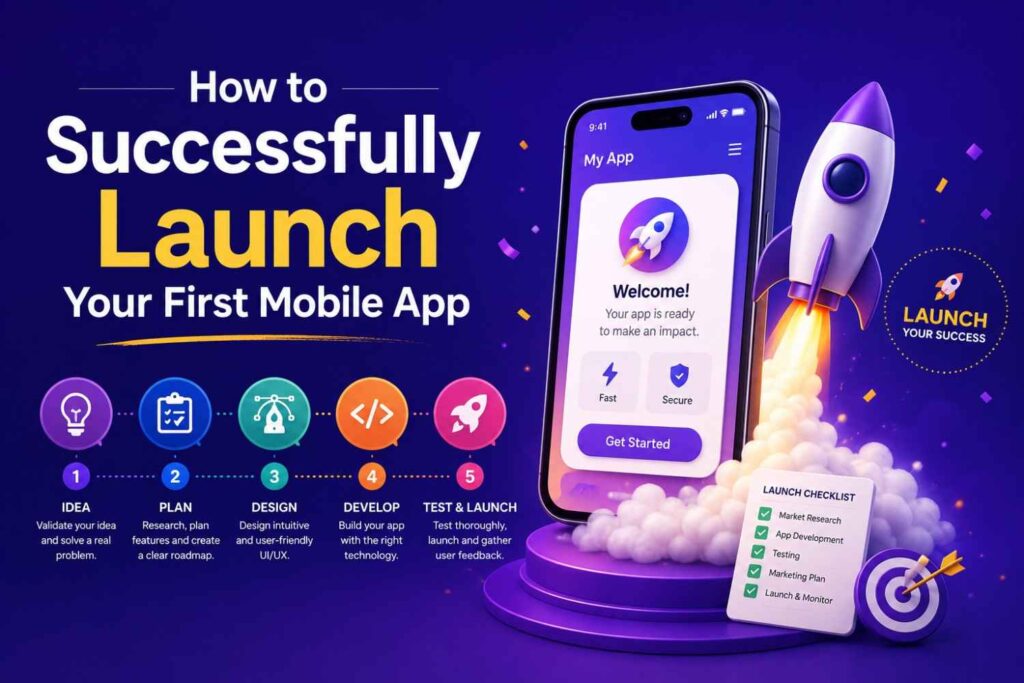
How to successfully launch your first mobile app
Learning how to successfully launch your first mobile app can feel overwhelming at the beginning. You may have an idea, a developer, a design concept, or even a working prototype, but launching an app successfully takes more than building screens and uploading a file.
A mobile app launch includes research, planning, testing, store listing preparation, compliance checks, marketing, user support, and post-launch improvement. The goal is not only to get downloads. The real goal is to attract the right users, help them understand the app quickly, and give them a reason to keep using it.
In this guide, I will explain a practical mobile app launch strategy for first-time founders, startups, small businesses, creators, and product teams. The process is simple, but each step needs attention. If you follow it carefully, your first mobile app launch can feel more controlled, professional, and easier to improve after release.
Start With a Clear App Idea and Launch Goal
Every successful app begins with clarity. Before you spend money on development, branding, or marketing, you need to know exactly what your app does, who it helps, and why users should care. This step is important because many first-time app owners start with a broad idea but no clear user problem.
A clear goal also helps your team make better decisions. It tells the designer what to focus on, helps the developer understand the core features, and gives your marketing team a simple message to promote. Without this foundation, the app may become overloaded with features that do not support the main purpose.
Define the Problem Your App Solves
One thing I always check first is whether the app solves a real problem or simply sounds like a nice idea. A strong mobile app usually saves time, removes friction, improves convenience, entertains, educates, or helps users complete an important task.
Write your problem statement in one clear sentence. For example: “This app helps local fitness coaches manage bookings and payments from mobile users.” This is stronger than saying, “I want to build a fitness app.” The more specific the problem, the easier it becomes to design and launch a useful product.
Identify Your Target Users
Your first mobile app should not try to serve everyone. A narrow audience is easier to understand and easier to reach. Define your users by their age group, location, habits, device type, budget, needs, and pain points.
For example, an app for university students will need a different tone, design, and onboarding flow than an app for restaurant owners. When you understand your users, your app content, screenshots, features, and launch campaign become more relevant.
Set a Realistic Launch Goal
A first launch should prove demand. It does not need to prove everything. Your goal could be 500 downloads, 100 beta users, 50 sign-ups, 20 paid users, or a specific number of completed actions inside the app.
I recommend choosing one main launch goal and a few supporting metrics. This keeps your team focused. Instead of chasing every number, you can measure whether the app is solving the problem you built it for.
Build a Focused MVP Before the Full App
A minimum viable product, often called an MVP, is the simplest version of your app that can still solve the main user problem. It is not a poor-quality version. It is a focused version. The purpose of an MVP is to help you launch faster, learn from real users, and avoid spending too much time on features nobody needs.
This step matters because first-time founders often want to include every idea in the first release. That approach usually increases development cost, delays launch, and creates more bugs. A focused MVP gives users the core value quickly and gives you space to improve after launch.
Choose Must-Have Features Only
Your first mobile app launch should include only the features needed for the main user action. These may include sign-up, profile setup, search, booking, payment, messaging, reminders, or content access.
Avoid adding advanced dashboards, social feeds, complex filters, loyalty systems, and extra settings unless they are essential. More features often mean more testing, more confusion, and more risk before launch.
Create a Simple User Journey
Your user journey should guide people from opening the app to getting value as quickly as possible. This is especially important for new apps because users do not yet trust the product.
| Launch Step | User Action | Goal |
|---|---|---|
| Open app | User lands on welcome screen | Explain value clearly |
| Sign up | User creates account | Reduce friction |
| Setup | User selects preferences | Personalize experience |
| First action | User books, saves, buys, or learns | Deliver value |
| Follow-up | App sends reminder or next step | Improve retention |
A simple journey improves user experience and helps reduce drop-offs during onboarding.
Validate Before Scaling
Before you invest in a larger version, show the MVP to real users. Ask them what they understood, what confused them, and whether they would use it again.
Validation can be done through a clickable prototype, beta version, landing page, survey, or private test group. The goal is to learn early before development becomes expensive.
Test Your App Before Launch
Testing is one of the most important parts of how to successfully launch your first mobile app. Users may forgive a missing advanced feature, but they usually do not forgive crashes, broken payments, login issues, or confusing screens. A buggy first impression can damage trust quickly.
Testing should not happen only at the end. It should happen during development, after feature completion, during beta testing, and again before final submission. A strong testing process gives your app a better chance of passing review, performing well, and keeping early users satisfied.
Run Functional and Performance Testing
Functional testing checks whether every feature works as expected. This includes sign-up, login, search, checkout, uploads, notifications, password reset, and profile updates.
Performance testing checks whether the app loads smoothly, handles poor internet, works across different devices, and avoids crashes. Test both normal use and unusual cases, such as empty fields, wrong passwords, failed payments, and slow connections.
Use Beta Testing Tools
Beta testing helps you understand how real users behave before the public launch. For iOS apps, TestFlight is commonly used to test beta versions before release. For Android apps, Google Play Console supports internal, closed, and open testing tracks.
Beta testing is not only for bug fixing. It also shows whether users understand your app without personal explanation. That feedback is very valuable before you promote the app widely.
Prepare a Bug and Feedback System
Do not track bugs casually through memory or chat messages only. Use a spreadsheet, project management tool, or issue tracker to record every bug, device type, screenshot, user comment, and fix status.
Group issues into critical, important, and minor. Critical issues should be fixed before launch. Important issues should be handled quickly. Minor issues can be scheduled for future updates if they do not affect core use.
Prepare Your App Store Launch Correctly
Your app store listing is your public sales page. It is often the first place where users decide whether your app looks useful, trustworthy, and worth downloading. A weak listing can reduce downloads even if the app itself is good.
A professional app store launch includes more than a title and description. You need clear screenshots, accurate metadata, a privacy policy, support details, category selection, app icon, preview assets, and a strong explanation of the app’s value. App store optimization helps users discover your app and understand it faster.
Set Up Apple App Store and Google Play Requirements
For iOS, developers use App Store Connect to manage app information, testing, submission, and review. Apple reviews submitted apps against its App Review Guidelines, which include safety, performance, business, design, and legal areas.
For Android, developers use Google Play Console to create releases, manage testing tracks, prepare store listings, and publish apps. You should review Google Play policies before launch so your app listing and app behavior meet platform expectations.
Optimize Your Store Listing
App store optimization, also known as ASO, helps your app appear more relevant and appealing in store search results. It includes the app title, subtitle or short description, full description, screenshots, video preview, app icon, category, and keyword relevance.
Your listing should clearly explain what the app does, who it is for, and why it is useful. Avoid keyword stuffing. A natural, benefit-focused description usually performs better than a robotic list of repeated keywords.
Create Trust Before Download
Users are careful when downloading new apps. Build trust by using honest screenshots, clear pricing, accurate features, real support details, and a working privacy policy.
Avoid misleading claims such as “No. 1 app” or “best app ever” unless you can verify them. Your listing should feel professional, clear, and safe.
Build a Pre-Launch Marketing Plan
A mobile app launch should not begin on the same day your app goes live. Marketing needs time. You need to build awareness, collect early interest, create content, and prepare your audience before release.
A pre-launch plan helps you avoid the common problem of launching to silence. Even a useful app can struggle if nobody knows about it. Your goal is to create a small but interested audience before launch day so your first downloads do not depend only on luck.
Create a Landing Page
A landing page gives people one place to learn about your app before it is released. It should explain the problem, show the app benefits, include screenshots or mockups, and collect email sign-ups.
This page can also support SEO. Use natural keywords related to your app category, user problem, and mobile app solution. Keep the copy simple and focus on the outcome users want.
Prepare Launch Content
Prepare your launch content before the app goes live. This can include blog posts, social media posts, demo videos, product screenshots, email announcements, founder stories, and FAQ content.
For example, if your app helps small businesses manage invoices, you can create content about invoice delays, mobile invoicing, payment reminders, and small business productivity. This supports both search visibility and user education.
Choose Your Launch Channels
Your launch channels should match your target users. Consumer apps may perform well on TikTok, Instagram, YouTube Shorts, influencer content, Reddit, or app store search. B2B apps may work better through LinkedIn, email outreach, partnerships, webinars, SEO, and product communities.
Do not try every channel at once. Pick two or three channels and execute them properly. A focused launch is easier to manage and measure.
Launch the App With a Clear Release Plan
The actual launch needs structure. By the time your app is ready to go live, you should know who is responsible for each task, what will happen on launch day, and how you will respond if something goes wrong.
A release plan helps reduce confusion. It also protects your marketing budget. You do not want to send traffic to an app that is not approved, unstable, or missing important store information. A controlled launch gives you time to check real performance before scaling promotion.
Use a Soft Launch First
A soft launch means releasing the app to a smaller group before promoting it publicly. This could be a private beta, a limited user group, a small geographic release, or an early access campaign.
Soft launches are useful because they reduce risk. You can test onboarding, collect feedback, monitor crashes, improve the store listing, and fix issues before a bigger launch.
Monitor App Store Review and Release Status
App store review and publishing timelines can vary. Apple apps are submitted through App Store Connect, while Android apps are managed through Google Play Console. Each platform has its own review process and policy checks.
Before you announce the app publicly, confirm that the app is approved, live, downloadable, and working properly. Also check that your links, screenshots, support email, and privacy policy are correct.
Announce the Launch Clearly
Your launch announcement should be simple and direct. Explain what the app does, who it helps, and where users can download it.
Use one clear call to action. For example: “Download the app and create your first booking in under two minutes.” A clear message is better than a clever message that users do not understand.
Measure Results After Launch
The launch is not the finish line. It is the beginning of real learning. Once users install the app, you can finally see what they do, where they drop off, what they like, and what needs improvement.
Post-launch measurement helps you make better decisions. Instead of guessing, you can use data and feedback to improve onboarding, fix bugs, update screenshots, refine pricing, and prioritize new features. This is where a first mobile app starts becoming a stronger product.
Track the Right Metrics
Downloads are useful, but they do not tell the full story. You should also track sign-up rate, onboarding completion, active users, retention, crashes, reviews, revenue, uninstall rate, and user source.
A small group of active users is often more valuable than a large number of users who leave after one session. Focus on quality of usage, not just download volume.
Collect Reviews and Feedback
Ask users for feedback after they complete a meaningful action. This could be after they make a booking, finish a task, save content, complete a purchase, or use the app successfully.
Do not ask too early. If users have not experienced value yet, they may ignore the request or leave weak feedback. Timing matters.
Improve With Updates
Plan your first update before launch. It may include bug fixes, improved onboarding, better screenshots, clearer copy, performance improvements, or small feature changes.
Regular updates show users that the app is active and improving. They also help you respond to early feedback before small problems become bigger issues.
Common Mistakes to Avoid During Your First App Launch
Many first-time app launches fail because of avoidable mistakes. The idea may be good, but the execution is rushed, unclear, or not tested enough. Knowing these mistakes early helps you protect your budget and your first impression.
A professional launch is not only about doing the right things. It is also about avoiding the wrong things at the wrong time. If you plan carefully, test properly, and listen to users, you can avoid the most common problems that hurt new apps.
Launching Without Real User Testing
Testing only with friends, family, or team members is not enough. These people may already understand your idea, so they may not notice confusing areas.
Real users behave differently. They skip instructions, tap unexpected buttons, and leave when something feels difficult. That behavior gives you honest feedback.
Ignoring App Store Optimization
Many founders treat app store optimization as a final task. That is a mistake. Your app title, description, screenshots, icon, and category can directly affect how users understand your app.
ASO should be part of your launch strategy from the start. It helps your listing look more relevant, trustworthy, and easy to understand.
Not Planning Post-Launch Support
After launch, users may ask questions, report bugs, request help, or leave reviews. If you do not have a support process, small issues can damage user trust.
Prepare a support email, basic help content, FAQ answers, and response templates before launch. Fast support can turn early problems into positive experiences.
Frequently Asked Questions
A strong FAQ section helps users get quick answers before they contact you or leave the page. It also improves AEO and GEO performance because answer engines often prefer clear, direct responses to common questions.
These questions match the real intent of people searching for how to successfully launch your first mobile app. They cover planning, testing, platforms, marketing, and common mistakes.
Quick Answer About How to Successfully Launch Your First Mobile App
To successfully launch your first mobile app, start with a clear problem, validate the idea with real users, build a focused MVP, test the app properly, prepare your App Store and Google Play listings, and create a launch marketing plan before release. A strong launch also needs privacy compliance, bug fixing, app store optimization, analytics setup, and a plan for collecting feedback after launch. In my experience, the best app launches are not rushed. They are planned, tested, measured, and improved after real users start using the product.
How do I launch my first mobile app?
To launch your first mobile app, validate the idea, build an MVP, test it with real users, prepare app store listings, submit the app for review, create a launch campaign, and track results after release. A strong launch balances product quality, user trust, and marketing.
What should I do before launching a mobile app?
Before launching, check your core features, user journey, privacy policy, performance, bug list, store listing, screenshots, analytics, and support process. You should also complete beta testing and prepare launch content before the app becomes public.
Do I need both iOS and Android for my first app launch?
Not always. If your budget is limited, start with the platform your target audience uses most. Some apps launch on iOS first, while others start with Android. The right choice depends on your users, market, budget, and app type.
How important is beta testing before app launch?
Beta testing is very important because it shows how real users interact with your app before public release. It can reveal bugs, confusing screens, missing features, and performance issues. Tools like TestFlight and Google Play testing tracks help manage this process.
What is the biggest mistake in a first mobile app launch?
The biggest mistake is launching too late or too early. Too late means wasting time on features users may not need. Too early means releasing a broken or confusing app. The best approach is a focused MVP that is stable, useful, and ready for feedback.
How do I market a new mobile app?
Start with a landing page, email list, social content, demo videos, app store optimization, and niche communities. After launch, use reviews, feedback, SEO content, paid ads, partnerships, and referral campaigns where relevant.
Conclusion
Launching an app is not just a technical task. It is a full product, marketing, testing, and growth process. If you want to know how to successfully launch your first mobile app, focus on clarity first, then build a useful MVP, test it properly, prepare strong store listings, and create a realistic launch plan.
In my experience, the best first launch is not the biggest launch. It is the clearest and most controlled launch. Start with the core problem, serve the right users, measure what happens, and improve based on real feedback.