
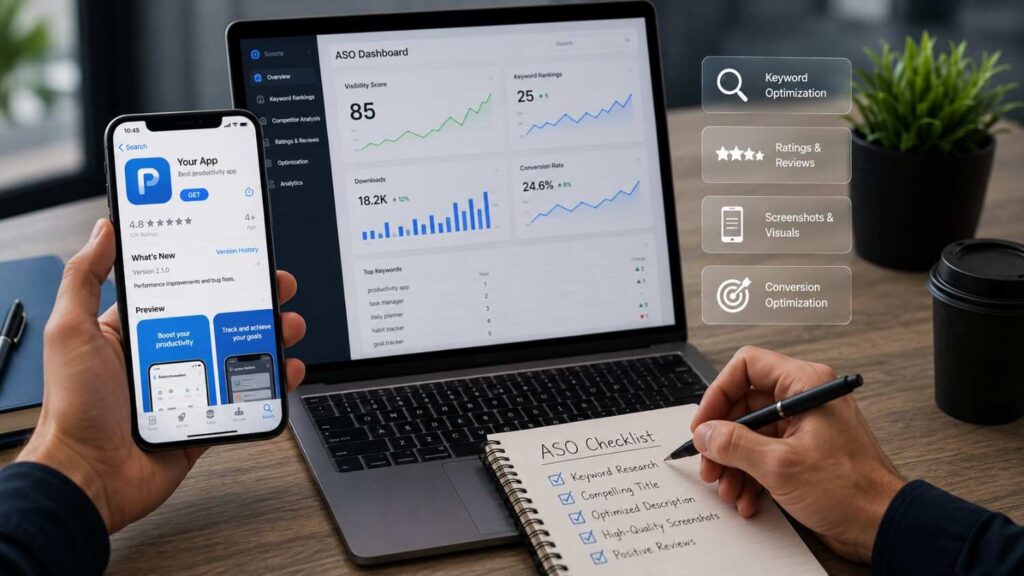
How to Optimize App Store Listings for Maximum Downloads
If you want to learn how to optimize app store listings for maximum downloads, the first thing to understand is that an app listing is not just a product description. It is a search result, sales page, trust signal, visual preview, and conversion tool all in one place. A user may spend only a few seconds looking at your app name, icon, rating, screenshots, and short copy before deciding whether to install or leave. That is why every part of the listing needs to work together.
In my experience, many app owners spend too much money on paid ads before fixing the basics of app store optimization. Paid traffic can bring users to your listing, but if the app title is unclear, screenshots are weak, reviews are poor, or the first sentence does not explain the value, many visitors will not install. This lowers the return from paid campaigns and limits organic growth.
A strong App Store product page or Google Play store listing should answer three simple questions: What does this app do? Why should I trust it? Why should I download it now? When your listing answers those questions clearly, your app has a better chance of attracting relevant users, improving install conversion, and increasing mobile app downloads over time.
Understand App Store Optimization Before Editing Your Listing
App store optimization, commonly called ASO, is the process of improving an app listing so more people can discover, understand, and download the app. It is similar to SEO because both involve search intent, keywords, relevance, and conversion. However, ASO works inside app stores, where users behave differently from users on Google search. App store users usually have stronger download intent. They are not only reading information; they are deciding whether an app deserves space on their phone.
A complete ASO strategy looks beyond keywords. It includes metadata, visual assets, reviews, ratings, categories, localization, install conversion, and performance testing. Apple notes that product page elements such as app name, subtitle, screenshots, app icon, and description help communicate the app’s value in search results and on the product page. This means users and algorithms both rely on the listing to understand what the app offers.
Before editing your listing, review your current performance. Look at impressions, product page views, install conversion rate, keyword rankings, review quality, and uninstall trends. If many people see the listing but few install, your conversion assets may be weak. If few people see the listing, your metadata, category, or keyword strategy may need work. Understanding this difference helps you make smarter updates instead of guessing.
What ASO Really Means
ASO is often described as keyword optimization, but that definition is too narrow. Real app store optimization is the full process of making an app easier to find and easier to choose. Keywords help the platform understand relevance, but users still need visual proof, clear benefits, positive reviews, and trust signals before they install. A listing with strong keywords but poor screenshots can still lose users at the decision stage.
The strongest ASO work connects search visibility with install conversion. For example, if your app is a meditation app, the keyword “sleep meditation” may help discovery, but the screenshots should also show calming sleep features, guided sessions, timers, or user benefits. The description should explain who the app is for and what problem it solves. Reviews should support the promise made in the listing.
ASO also requires ongoing improvement. Search behavior, competitors, app features, and user expectations change over time. A listing that worked six months ago may need new screenshots, better copy, or localized messaging today.
Why Search Intent Matters
Search intent is the reason behind a user’s search. In app stores, intent is usually practical. Users search because they want to solve a problem, complete a task, play a certain type of game, improve a habit, manage something, learn something, or access a service. This makes search intent one of the most important parts of app listing optimization.
A beginner mistake is choosing keywords only because they have high search volume. High-volume terms are often broad, competitive, and less specific. A smaller but more relevant keyword can bring users who are more likely to install and stay. For example, “fitness app” is broad, while “home workout planner” shows clearer intent. A user searching the second phrase already knows what kind of solution they want.
I recommend separating keywords into groups. Use problem-based keywords for pain points, feature-based keywords for functions, audience-based keywords for target users, and branded keywords only when they are accurate. This helps you write natural listing copy and avoid repeating the same keyword awkwardly.
Apple App Store vs Google Play Optimization
Apple App Store and Google Play both require clear metadata, strong visual assets, and relevant positioning, but they use different fields and rules. On Apple, the app name can be up to 30 characters, the subtitle can be up to 30 characters, and the keyword field is limited to 100 characters. Apple also advises developers to avoid duplicate words, irrelevant terms, competing app names, and unauthorized trademarked terms in keyword fields.
Google Play uses a different structure. Developers can add an app name with a 30-character limit, a short description with an 80-character limit, and a full description with a 4,000-character limit. Google also warns that repetitive or irrelevant keyword use can create a poor user experience and may result in app suspension.
This means you should not copy and paste the same listing across both stores. The core message can stay consistent, but each platform needs its own metadata, screenshot order, description style, and testing plan.
Research Keywords and Map Them to the Right Fields
Keyword research is the foundation of a strong ASO strategy. Before writing your app name, subtitle, short description, keyword field, or full description, you need to understand what users search when they want an app like yours. Good keyword research is not only about finding popular words. It is about finding relevant terms that match your app’s actual features, user needs, and competitive position.
Start by listing your app’s core functions in simple language. Then expand those functions into problems, benefits, audiences, and use cases. A budgeting app may target terms related to expense tracking, bill reminders, savings goals, spending reports, and personal finance. A language learning app may target terms related to vocabulary, pronunciation, grammar practice, speaking exercises, and offline lessons. This process helps you build a keyword pool that reflects real user intent.
Once you have keywords, map them carefully. Your strongest and clearest term should influence the app name or subtitle when it fits naturally. Supporting keywords can appear in the description, screenshots, and FAQ-style content on your website. Apple’s keyword field should be used strategically because it has limited space. Google Play descriptions give more room, but that does not mean you should repeat the same words again and again. The goal is clarity, not stuffing.
Start With Core App Functions
Core app functions are the features that explain what your app actually does. These are often the best starting point for keyword research because users usually search by function. They may not know your brand name, but they know they need a task manager, photo editor, calorie tracker, habit builder, invoice maker, or travel planner. If your listing does not describe the function clearly, you may miss users who are already looking for your type of app.
To find these functional keywords, write a plain-language list of everything the app helps users do. Avoid internal product terms at this stage. Use the language a beginner would use. For example, instead of “AI-based productivity workflow platform,” a user may search “daily planner app,” “task organizer,” or “to-do list app.” Those words may sound simple, but they often match real search behavior better.
After listing functions, connect each one to a benefit. “Tracks expenses” becomes “control monthly spending.” “Saves recipes” becomes “organize favorite meals.” This gives you both keyword ideas and conversion-focused copy.
Separate Primary, Secondary, and Long-Tail Keywords
Not every keyword should have the same role. A primary keyword describes the main topic or function of the app. Secondary keywords support related features and user needs. Long-tail keywords are more specific phrases that usually show clearer intent. This structure keeps the listing focused and prevents keyword cannibalization inside your own metadata.
For example, a mental wellness app might use “meditation” as a primary theme, “breathing exercises” and “sleep sounds” as secondary keywords, and “guided meditation for anxiety” as a long-tail phrase. Each keyword type has a different job. The primary keyword shapes the main positioning. Secondary keywords expand relevance. Long-tail terms help capture specific use cases and can be placed naturally in descriptions, screenshots, or website content.
Apple recommends choosing keywords based on words people may use to find an app like yours and being specific when describing features and functionality. Apple also notes the trade-off between popular competitive terms and less common terms that may be easier to rank for.
Avoid Keyword Stuffing and Policy Risks
Keyword stuffing is the practice of repeating keywords in an unnatural way to manipulate rankings. It creates a poor reading experience and can make the app look low quality. In app stores, keyword stuffing can also create policy risks. Google states that repetitive or irrelevant use of keywords in the app name, description, or promotional description can create an unpleasant user experience and may result in suspension.
The safer approach is to write for humans first. Use keywords only where they help explain the app. A good sentence should make sense even if the keyword were not part of your SEO plan. For example, “Track daily expenses, set monthly budgets, and understand where your money goes” is natural. A stuffed version like “budget app, expense app, money app, savings app, finance app” looks weak and unprofessional.
Also avoid using competitor names, celebrity names, trademarked terms, or irrelevant trending phrases. These tactics may bring short-term attention, but they can damage trust and create review problems. Relevance should guide every keyword decision.
Optimize App Name, Subtitle, Short Description, and Description
App metadata is one of the most important parts of app listing optimization because it tells both users and app stores what your app is about. Your app name, subtitle, short description, keyword field, promotional text, and full description should work together. They should not repeat the same sentence in different places. Each field should add something useful.
The app name should identify the brand and, when possible, hint at the core function. The subtitle or short description should explain the main benefit in a compact way. The full description should provide more detail about features, use cases, trust factors, and reasons to download. Apple recommends that descriptions highlight features and functionality, explain what makes the app unique, and use language the target audience understands. Apple also notes that the first sentence is especially important because users can read it before tapping to see more.
Google Play provides clear character limits for key fields: app name up to 30 characters, short description up to 80 characters, and full description up to 4,000 characters. That structure gives you room to write a helpful listing, but quality matters more than length.
A professional listing should be clear, benefit-led, and honest. Avoid exaggerated claims like “best app ever” unless they are backed by a real award or recognized source.
| Metadata Element | Apple App Store | Google Play | Optimization Tip |
|---|---|---|---|
| App Name | Up to 30 characters | Up to 30 characters | Include your brand and primary keyword naturally. |
| Subtitle / Short Description | Subtitle (30 characters) | Short Description (80 characters) | Highlight the main benefit users will receive. |
| Full Description | Informational description | Up to 4,000 characters | Focus on features, benefits, and user problems solved. |
| Keyword Field | Available (100 characters) | Not available | Use relevant keywords without repeating terms. |
| Primary Category | Required | Required | Select the category that best matches your app. |
| What’s New | Update notes | Release notes | Explain new features, bug fixes, and improvements clearly. |
Write a Clear App Name
The app name is one of the first things users see, and it can influence both discovery and trust. Apple says the app name plays a critical role in discovery and recommends choosing a simple, memorable name that is easy to spell and hints at what the app does. Apple also states that an app name can be up to 30 characters long.
A strong app name usually balances branding with clarity. If the brand is already known, the name can stand alone. If the brand is new, adding a short functional phrase can help. For example, “FlowTask: Daily Planner” communicates more than “FlowTask” alone. However, adding too many keywords can make the name look spammy and reduce memorability.
Before finalizing the name, check three things. First, can a user understand the basic category? Second, is it easy to pronounce and spell? Third, does it avoid confusing similarity with existing apps? A clear name makes your listing easier to trust and easier to remember.
Use the Subtitle or Short Description for Value
The subtitle on Apple and the short description on Google Play are small fields with a big job. They should quickly explain why the app matters. Apple says the subtitle should summarize the app in a concise phrase and suggests using it to explain value in more detail than the app name. Apple also advises avoiding generic claims such as “world’s best app.”
On Google Play, the short description is the first text users see when looking at the app detail page, and users can expand it to read the full description. Google’s best practices say the short description should communicate the app or game’s message in 80 characters or less and summarize the app’s biggest benefits.
A useful short description focuses on one clear promise. For example, “Plan tasks, track habits, and organize your day” is stronger than “A powerful productivity solution.” It tells users what the app helps them do. That clarity supports both beginners and advanced users.
Make the Full Description Useful
The full description should give users enough information to decide confidently. It should not be a long block of generic marketing copy. A strong description usually starts with a clear first sentence, explains the app’s main use case, lists important features, describes who the app is for, and ends with a natural call to action. Apple recommends a concise, informative paragraph followed by a short list of main features.
For Google Play, the full description allows up to 4,000 characters, but using all available space is not always necessary. The goal is to be complete without being repetitive. Google also recommends avoiding excessive length, improper formatting, and repetition of words.
A practical description structure looks like this:
| Listing Element | Best Use | Common Mistake |
|---|---|---|
| App name | Brand plus core function | Stuffing multiple keywords |
| Subtitle/short description | Main benefit | Generic claims |
| Full description | Features, use cases, trust points | Long vague paragraphs |
| Keyword field | Relevant discovery terms | Duplicate or irrelevant words |
| Screenshots | Visual proof of value | Showing random screens |
Improve Icons, Screenshots, Videos, and Preview Assets
Visual assets are one of the strongest conversion elements in an app listing. Many users look at the icon, screenshot sequence, preview video, rating, and first visible text before reading the full description. If the visuals do not explain the app quickly, the user may leave even if the app itself is useful. This is why visual optimization should be treated as part of ASO, not as decoration.
A good visual system tells a story. The icon creates the first impression. The first screenshot communicates the main value. The next screenshots explain important features. A preview video, when used, shows the app in action. The goal is to reduce uncertainty. Users should be able to understand what the app does, how it looks, and why it is useful before they install.
Apple allows up to 10 screenshots on App Store product pages and notes that the first one to three images may appear in search results depending on orientation and whether an app preview is available. Apple also explains that app previews can show features, functionality, and the user interface in short videos.
For Google Play, visual assets such as icons, screenshots, feature graphics, and videos help showcase the app across Google Play. Strong visual assets can improve trust, engagement, and install conversion.
Design an Icon That Is Simple and Recognizable
The app icon is often the first visual signal users notice. It appears in search results, charts, recommendations, device screens, and ads. A strong icon should be simple enough to understand at a small size and distinctive enough to stand apart from competitors. Apple recommends creating an icon that is simple and recognizable, avoids unnecessary visual details, and communicates the app’s quality and purpose.
Good icon design does not need to explain every feature. It should represent the brand or core idea in a clean way. Too many colors, tiny text, detailed illustrations, or cluttered symbols can make the icon hard to recognize. For example, a note-taking app may use a clean mark related to writing, while a fitness app may use a simple movement-related symbol.
I recommend testing the icon in real placement sizes. View it beside competitor icons in search results and on a phone screen. If it disappears visually, simplify it. If it looks generic, refine the brand cue.
Use Screenshots to Sell Benefits
Screenshots should do more than show the interface. They should explain the value of the app in a quick visual sequence. Apple recommends using screenshots to communicate the user experience and focusing each screenshot on a main benefit or feature. Apple also notes that the first one to three screenshots can appear in search results, which makes the opening sequence especially important.
A strong screenshot set usually follows a logical order. The first screenshot should show the strongest promise. The second should explain a key feature. The third can show proof, convenience, or a unique workflow. Later screenshots can cover advanced features, integrations, personalization, reports, or premium benefits.
Use short overlay text where allowed and useful. Keep the text large, clear, and benefit-focused. Instead of saying “Dashboard Screen,” say “Track all tasks in one place.” Instead of “Reports,” say “See progress at a glance.” This makes screenshots easier to understand for beginners while still showing advanced users what the app can do.
Add Preview Videos Where They Help
Preview videos work best when motion explains the app better than static screenshots. They are useful for apps with interaction, games, editing tools, fitness flows, learning experiences, AR features, or complex workflows. Apple says app previews demonstrate features, functionality, and the user interface using footage captured on device. Apple also allows up to three app previews for each supported language, and each preview can be up to 30 seconds long.
A preview video should not try to show everything. The first few seconds matter because users may decide quickly whether to continue watching. Start with the most valuable action or result. Show the app experience clearly. Avoid misleading scenes, excessive animations, or features that do not exist in the product.
Also remember that many previews autoplay with muted audio. Apple recommends adding clear copy when context is needed and making text easy to read. If your app includes paid features, subscriptions, or login requirements in the preview, disclose them clearly so users are not surprised after installing.
Build Trust With Ratings, Reviews, Localization, and Updates
Trust is one of the biggest factors in app store conversion. Even if your listing appears in search and looks visually strong, users may hesitate if the app has poor ratings, outdated screenshots, confusing copy, or no recent updates. A download is a commitment. Users are giving your app storage space, attention, permissions, and sometimes payment information. Your listing must reduce doubt.
Ratings and reviews give users social proof. Localization helps users in different markets understand the app in their own language and context. Updates show that the app is maintained and improved. Together, these signals can increase confidence and support long-term growth.
Apple states that ratings and reviews influence how an app ranks in search and can encourage users to engage from search results. Apple also says ratings appear on the product page and in search results, and that developers can respond to customer reviews through App Store Connect.
Google Play also allows developers to add translations and localized graphic assets so users can see listing content that matches their language preferences. This is important because a technically correct translation is not always enough. Users need benefits, examples, and visuals that feel relevant to their market.
Encourage Better Ratings and Reviews
Ratings and reviews affect both trust and discoverability. A user comparing two similar apps may choose the one with stronger ratings, clearer recent reviews, and helpful developer responses. Apple states that ratings and reviews influence App Store search ranking and can encourage users to engage with an app from search results. Apple also notes that developers can use SKStoreReviewController to prompt users for ratings up to three times in a 365-day period.
The timing of review prompts matters. Do not ask for a review immediately after installation. At that point, users may not have experienced enough value. A better moment is after the user completes a meaningful action, such as finishing a workout, saving a design, completing a lesson, booking a service, or reaching a milestone.
You should also monitor review themes. If users repeatedly mention confusion, crashes, missing features, or pricing concerns, treat that feedback as product and listing data. Sometimes the listing creates expectations the app does not meet. Fixing that gap can improve ratings and retention.
Localize for Better Regional Performance
Localization can improve both discoverability and conversion in international markets. It is not only about translating words. Good localization adapts the app name, subtitle, description, screenshots, preview videos, examples, and sometimes keyword choices to match local language and user behavior. Apple recommends localizing descriptions, keywords, app previews, and screenshots for markets where the app is available.
Google Play also supports translated listing information and localized graphic assets. According to Google, users can see localized graphic assets when their language preferences match the languages added by the developer.
A localized listing should feel native, not machine-generated. For example, a budgeting app may need different examples in the United States, UAE, Pakistan, Singapore, or the United Kingdom because users may think about bills, currency, banking, and savings differently. Screenshots should also match local expectations where possible. Even small changes, such as localized dates, currencies, and feature wording, can make the listing feel more trustworthy.
Keep the Listing Fresh
An outdated listing can reduce trust quickly. If screenshots show an old interface, if the description mentions removed features, or if the “What’s New” section is vague, users may question whether the app is actively maintained. Apple lets developers use the “What’s New” section to communicate updates, new features, bug fixes, and improvements. Apple also suggests listing important changes in order of importance and adding call-to-action messaging that gets users excited about the update.
Freshness does not mean changing everything every week. It means keeping the listing aligned with the real product. When you launch a major feature, update the screenshots and description. When users repeatedly ask about a feature in reviews, make that feature easier to find in the listing. When the interface changes, replace outdated visuals.
A practical review schedule is monthly for performance checks and quarterly for deeper ASO updates. Fast-moving apps may need more frequent testing, especially if competitors update aggressively.
Test, Measure, and Improve the Listing Over Time
ASO should be treated as an ongoing improvement process. A listing is rarely perfect after one update. User behavior, competitor positioning, seasonal demand, product features, and platform rules can change. Testing helps you make decisions based on evidence instead of opinions. This is especially important when teams disagree about icons, screenshots, copy, or messaging.
The best app teams track both visibility and conversion. Visibility metrics show whether users are finding the app. Conversion metrics show whether users are installing after viewing the listing. Retention metrics show whether the listing attracted the right users. If impressions increase but installs do not, the listing may have a conversion problem. If installs increase but retention drops, the listing may be attracting users with the wrong expectations.
Apple offers Product Page Optimization, which allows developers to test alternate versions of the product page with different icons, screenshots, and app previews. Apple says results appear in App Analytics and the best-performing version can be applied to everyone on the App Store.
Google Play Store Listing Experiments let developers run A/B tests on store listing text and graphics to help increase installs and retention. Google specifically describes these experiments as a way to find the most effective graphics and localized text.
| ASO Factor | Why It Matters | Impact on Downloads |
|---|---|---|
| Keyword Optimization | Improves search visibility | High |
| App Icon | Creates a strong first impression | High |
| Screenshots | Explain app value quickly | High |
| Preview Video | Demonstrates real app experience | Medium to High |
| Ratings & Reviews | Builds trust and credibility | High |
| Localization | Reaches users in different regions | High |
| Regular Updates | Shows the app is actively maintained | Medium |
| A/B Testing | Identifies the highest-converting assets | High |
| App Description | Helps users understand features and benefits | Medium |
| Category Selection | Improves discoverability | Medium |
Run A/B Tests Before Making Big Changes
A/B testing is one of the safest ways to improve app store conversion rate. Instead of guessing which icon, screenshot, or message will perform better, you show different versions to users and compare results. This reduces the risk of replacing a working asset with a weaker one. It also helps teams avoid decisions based only on personal taste.
On Apple, Product Page Optimization supports testing alternate product page elements such as icons, screenshots, and app previews. Apple explains that each version is shown to a percentage of randomly selected eligible users, and results appear in App Analytics.
On Google Play, Store Listing Experiments allow developers to test listing text and graphics, including localized experiments for global audiences.
Test one major variable at a time when possible. If you change the icon, screenshots, and description all at once, it becomes harder to know what caused the performance change. Start with high-impact assets such as the first screenshot, icon, short description, or feature graphic.
Track the Right Metrics
Downloads matter, but they are not the only metric. A listing can generate more installs while attracting users who uninstall quickly or never become active. That is why you should track the full path from impression to product page view, install, activation, retention, review, and revenue. This gives you a clearer picture of listing quality.
Important ASO metrics include impressions, product page views, install conversion rate, keyword rankings, source of installs, review sentiment, uninstall rate, retention, and in-app conversion. For paid campaigns, also compare cost per install with post-install behavior. A cheaper install is not always better if those users do not stay.
When reviewing performance, connect each metric to a possible action. Low impressions may require better keyword targeting or category alignment. Low install conversion may require stronger screenshots, a clearer subtitle, or better social proof. Poor retention may mean the listing promises something the app does not deliver. This measurement mindset helps you improve both marketing and product quality.
Use Official Download Links and Avoid Confusion
Official download links are important for trust, safety, and user experience. If you promote your app through a website, landing page, blog article, email campaign, or social media post, direct users to the official Apple App Store or Google Play page. Avoid sending users to unknown third-party download pages unless there is a clear, official, and safe reason.
This matters because users are careful about app permissions, privacy, payments, and device safety. A clean landing page with official store badges, privacy information, support links, and clear compatibility details can reduce hesitation. It also makes the user journey smoother. They should not have to search for the correct app after reading your marketing content.
If your app is available in different regions or has separate versions, label the links clearly. For example, use “Download on the App Store,” “Get it on Google Play,” or “Available for iPhone and Android.” Clarity prevents users from landing on the wrong version and improves conversion from external traffic.
Quick Answer About How to Optimize App Store Listings for Maximum Downloads
To optimize app store listings for maximum downloads, you need to improve two things at the same time: visibility and conversion. Visibility helps your app appear for the right searches inside Apple App Store and Google Play. Conversion helps visitors understand the app quickly and feel confident enough to install it. A complete ASO strategy should include keyword research, app metadata optimization, strong screenshots, a clear app icon, persuasive descriptions, review management, localization, and regular A/B testing.
Apple explains that App Store search considers text relevance, including title, subtitle, keywords, and primary category, as well as user behavior such as downloads, ratings, and reviews. Google Play also gives developers structured listing fields such as app name, short description, full description, translations, categories, and visual assets. That means the best approach is not to stuff keywords into every field. Instead, match user intent, explain the app clearly, support the listing with helpful visuals, and keep improving based on performance data.
Frequently Asked Questions
FAQs are useful for both readers and search engines because they answer specific questions in a direct way. In app store optimization, users often search for practical answers before they hire an ASO expert, update their listing, or invest in paid acquisition. These questions also support Answer Engine Optimization and Generative Engine Optimization because they provide clear, structured responses that are easy to extract and summarize.
This FAQ section focuses on real search intent. Some users want to understand the basics of ASO. Others want to know what affects ranking, whether screenshots matter, how often listings should be updated, and how ASO differs from SEO. The answers below are written for beginners but still include practical details for marketers, founders, and product teams.
When using these FAQs on a website, you can also convert them into FAQ schema if your CMS or SEO plugin supports structured data. However, the answers should still be helpful on the page itself. Schema should support good content, not replace it. Keep the language natural, avoid repeating the same keyword too often, and make each answer useful on its own.
What is app store optimization?
App store optimization is the process of improving an app listing so more relevant users can find, understand, and download the app. It includes keyword research, app metadata optimization, screenshots, app preview videos, ratings, reviews, localization, and A/B testing. The purpose is not only to increase visibility but also to improve install conversion.
A strong ASO strategy connects the user’s search intent with the app’s actual value. For example, if someone searches for a “daily planner app,” the listing should quickly show planning features, productivity benefits, screenshots of the planner interface, and trust signals such as ratings or reviews. ASO also continues after launch because competitors, user behavior, and app features change over time. The best results usually come from regular testing, review analysis, and listing updates based on performance data.
How do I optimize my app listing?
To optimize your app listing, start by researching keywords that match your app’s main function, audience, and use cases. Then improve the app name, subtitle or short description, full description, screenshots, app icon, preview video, category, and review strategy. Each field should have a clear purpose. Do not repeat the same generic message everywhere.
The next step is to improve visual conversion. Your first screenshots should explain the app’s strongest benefits within seconds. Your icon should be simple and recognizable. Your description should answer what the app does, who it helps, and why it is useful. After making improvements, measure results through impressions, product page views, install conversion rate, and retention. If possible, use Apple Product Page Optimization or Google Play Store Listing Experiments to test major changes before applying them permanently.
Do app screenshots help increase downloads?
Yes, app screenshots can help increase downloads because they visually explain the app before users install it. Many users scan screenshots before reading the full description, so screenshots often shape the first real impression of the product. A strong screenshot set shows benefits, key features, interface quality, and use cases in a clear sequence.
Apple allows up to 10 screenshots on App Store product pages and notes that the first one to three screenshots may appear in search results when no app preview is available. This makes the opening screenshots especially important.
The best screenshots are not random interface captures. They are planned like a short story. Start with the main value, then show important features, then support trust or convenience. Use short overlay text where helpful, but keep it readable. Good screenshots reduce confusion and help users decide faster.
What affects app store ranking?
App store ranking can be affected by several factors, including metadata relevance, category selection, user behavior, downloads, ratings, reviews, and listing quality. Apple states that App Store search considers text relevance, including title, subtitle, keywords, and primary category, as well as user behavior such as downloads, ratings, and reviews.
This means ranking is not based on keywords alone. If your app listing uses relevant terms but users do not install, review, or engage well, performance may still be limited. Likewise, a strong app experience can support better ratings and reviews, which can improve trust in search results.
To improve ranking potential, focus on relevance and quality together. Use accurate keywords, choose the right category, write clear metadata, improve visuals, ask for reviews at the right moment, and make sure the app delivers what the listing promises.
How often should I update my app store listing?
You should update your app store listing whenever the product changes, the interface changes, new features launch, screenshots become outdated, or reviews show that users are confused. A monthly performance review and a deeper quarterly ASO review is a practical schedule for many apps. More competitive categories may require more frequent testing.
Apple’s “What’s New” section can be used to communicate app updates, new features, bug fixes, and improvements. Apple recommends listing important changes in order of importance and using messaging that helps users understand the value of the update.
Avoid changing everything at once without measurement. If your install conversion drops after a major update, you may not know which change caused the issue. Update carefully, test important assets, and keep the listing aligned with the real app experience.
What is the difference between SEO and ASO?
SEO improves visibility in search engines such as Google, while ASO improves visibility and conversion inside app stores such as Apple App Store and Google Play. Both involve keywords, relevance, user intent, and content quality, but the platforms and ranking signals are different. SEO may focus on web pages, backlinks, technical performance, and search snippets. ASO focuses more on app metadata, screenshots, icons, reviews, ratings, install behavior, and store-specific fields.
Another difference is user intent. Many app store users are closer to downloading because they are already searching inside a marketplace built for apps. This makes conversion elements more important. A screenshot, rating, or short description can affect the decision very quickly.
For the best results, use both together. SEO can bring external traffic through blog posts or landing pages, while ASO converts store visitors into app users.
Conclusion
Learning how to optimize app store listings for maximum downloads is not about applying one trick or adding keywords everywhere. It is about building a complete listing that helps the right users find your app, understand its value, trust its quality, and feel ready to install. The strongest app listings combine clear metadata, user-focused copy, strong screenshots, a recognizable icon, helpful reviews, accurate localization, and regular testing.
Start with research. Understand your users, their search intent, and the words they use when looking for an app like yours. Then map those terms to the right fields without stuffing or repetition. Improve your app name, subtitle, short description, full description, screenshots, and preview assets so each element supports the same promise. After that, strengthen trust through reviews, ratings, updates, and localized content.
Finally, measure everything. A listing should improve over time based on impressions, page views, install conversion, retention, and user feedback. When you treat app store optimization as an ongoing process, your app has a stronger chance of earning more organic visibility, better conversion, and higher-quality downloads.