
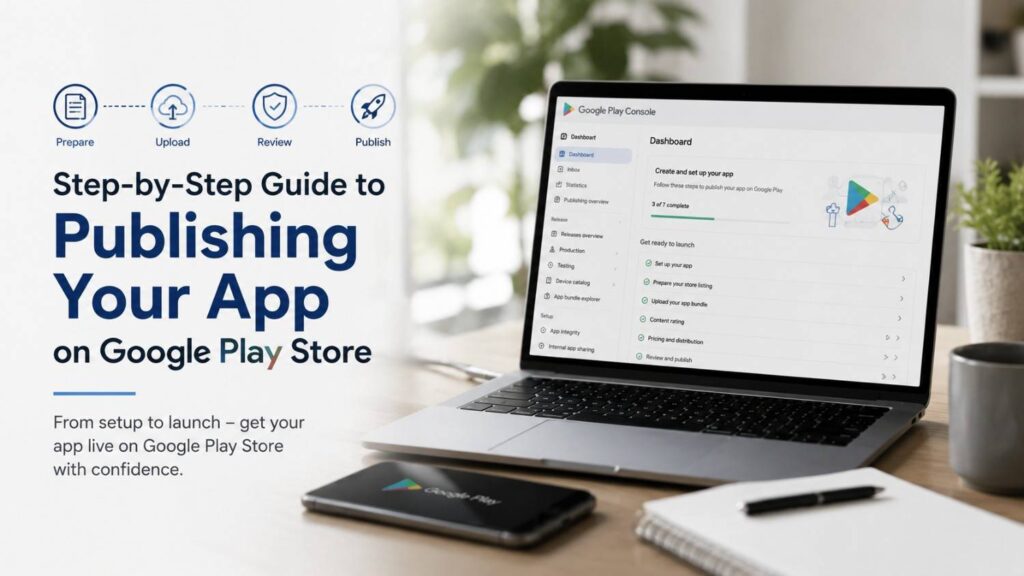
Step-by-Step Guide to Publishing Your App on Google Play Store
Publishing an Android application on the Google Play Store is one of the final and most rewarding stages of the app development lifecycle. However, releasing an app successfully involves much more than uploading an installation file. Developers must ensure that their application meets Google’s technical requirements, follows Play Store policies, provides accurate privacy disclosures, and delivers a high-quality user experience. Even a well-built app can face rejection if important publishing requirements are overlooked.
The Google Play Store has evolved into a highly regulated platform designed to protect users and maintain app quality. Before an app becomes publicly available, Google evaluates multiple aspects of the submission, including the Android App Bundle (AAB), target API level, Data Safety declarations, content ratings, permissions, store listing accuracy, and policy compliance. Developers are also expected to provide clear screenshots, feature graphics, app descriptions, contact information, and testing access when required. Careful preparation before submission significantly reduces review delays and improves the likelihood of approval on the first attempt.
Publishing should also be viewed as an ongoing process rather than a one-time event. After an app is approved, developers must continue monitoring performance, fixing bugs, responding to user reviews, improving security, and releasing regular updates. Google Play Console provides valuable analytics that help track installs, crashes, user retention, ratings, and revenue, allowing developers to continuously optimize their applications based on real user behavior. A successful launch is therefore only the beginning of an app’s growth journey.
This Step-by-Step Guide to Publishing Your App on Google Play Store explains the complete publishing workflow in a structured and beginner-friendly manner. It covers every major stage, including preparing your app for release, setting up a Google Play Console account, creating an optimized store listing, completing compliance and privacy requirements, testing your application, submitting it for review, and managing updates after launch. Whether you are publishing your first Android app or refining an existing release process, following these steps will help ensure a smoother review experience, greater visibility on the Play Store, and a stronger foundation for long-term success.
Understanding the Google Play Publishing Process
The Google Play publishing process is a structured workflow that moves your Android app from development to public availability. It includes account creation, app setup, technical preparation, content declarations, testing, review, and production rollout. Each stage is designed to ensure that your application meets Google’s technical standards, security requirements, and developer policies before it reaches users. Following this workflow carefully helps reduce review delays and improves the chances of approval on the first submission.
Publishing an app involves much more than uploading an installation file. Google evaluates multiple aspects of your application, including its target API level, Android App Bundle (AAB), store listing quality, Data safety declarations, permissions, content rating, and privacy practices. Developers must also provide accurate metadata, high-quality visual assets, and complete compliance information so users can clearly understand what the app offers before downloading it.
Google Play Console serves as the central platform where all of these tasks are managed throughout the app’s lifecycle. From initial setup to future updates, performance monitoring, and release management, developers use Play Console to maintain their applications, analyze user feedback, fix issues, and continuously improve the overall user experience after launch.
What Google Play Console Does
Google Play Console is Google’s official developer platform for publishing, managing, and maintaining Android applications. It allows developers to create new apps, upload Android App Bundles, configure release tracks, manage store listings, monitor app performance, respond to user reviews, and track downloads, ratings, and revenue from a single dashboard.
Beyond publishing, Play Console provides powerful tools for quality assurance and app optimization. Developers can access crash reports, Android Vitals, performance metrics, testing environments, pre-launch reports, and analytics that help identify technical issues before they affect users. These insights enable faster debugging and continuous improvement throughout the app’s lifecycle.
Think of Google Play Console as the complete control center for your Android application. Every build upload, policy declaration, testing phase, production release, update rollout, and post-launch optimization is managed through this platform, making it an essential tool for every Android developer.
What You Need Before You Start
Before publishing your app, it is important to prepare every required asset and document to ensure a smooth submission process. Essential items include your app name, high-resolution app icon, screenshots for supported device types, feature graphic, short description, full description, Android App Bundle (AAB), privacy policy URL, contact information, and any promotional assets you plan to use. Having these materials ready beforehand makes the publishing process much faster and helps avoid unnecessary delays.
You should also review your app’s technical features and functionality before submission. Determine whether your application requests sensitive permissions, displays advertisements, requires user authentication, collects personal data, uses background services, or integrates third-party SDKs. These details must accurately match the information provided in your Data Safety form, privacy policy, and app content declarations to remain compliant with Google Play policies.
Finally, ensure your application has been thoroughly tested across different Android devices and screen sizes before uploading it for review. Fix crashes, verify navigation, optimize performance, and confirm that all required compliance forms have been completed correctly. Proper preparation not only increases the likelihood of approval but also creates a better first impression for users downloading your app from the Google Play Store.
Step 1: Create Your Google Play Developer Account
To publish an app, you must first create a Google Play Developer account. This account gives you access to Google Play Console, where all publishing activities take place, including app creation, store listing management, testing, release management, analytics, and policy compliance. Without a verified developer account, it is not possible to distribute Android applications through the Google Play Store.
Google requires every developer to complete identity verification and pay a one-time registration fee before publishing apps. During the registration process, you will be asked to provide personal or business information, verify your identity, and agree to Google Play Developer Program policies. Once your account is approved, your developer profile becomes the public identity associated with all apps you publish.
Creating your developer account correctly is important because it forms the foundation of your publishing journey. Accurate account information improves trust with both Google and users while helping prevent verification issues or delays during future app submissions and updates.
Choose the Right Account Type
Google Play allows you to register either a personal developer account or an organization account. A personal account is designed for individual developers, freelancers, students, or hobbyists who publish apps under their own name. An organization account is intended for businesses, startups, agencies, and brands that want their applications published under a company identity.
Choosing the appropriate account type from the beginning is important because changing ownership later can involve additional administrative steps. Organization accounts generally provide greater credibility for commercial applications and help establish trust with users who expect to see a recognizable business name on the Play Store.
Before registering, consider your long-term publishing goals. If you plan to develop apps professionally or publish applications for a business, selecting an organization account can provide better branding, ownership management, and scalability as your app portfolio grows.
Complete Identity and Contact Details
Your contact information should always be accurate, complete, and actively maintained because Google uses it for account verification, security notifications, policy communication, and developer support. Users may also rely on this information to contact you regarding technical issues, feedback, or privacy-related questions about your application.
Be sure to provide a valid email address, official website (if available), phone number where required, and an accessible privacy policy URL. These details should remain consistent across your Play Store listing, privacy policy, company website, and other public platforms to avoid confusion and improve credibility.
Keeping your developer profile up to date is equally important after publication. If your contact information changes, update it promptly in Google Play Console to ensure you continue receiving important account notifications and remain compliant with Google Play Developer Program requirements.
Step 2: Prepare Your Android App for Upload
Before uploading your app, ensure it is stable, properly signed, and fully compatible with Google Play requirements. This preparation stage is critical because Google reviews not only your app’s functionality but also its technical configuration, security, and compatibility with current Android standards. Publishing an unstable or improperly configured app can lead to review delays, rejection, or poor user ratings after launch.
A complete pre-upload checklist should include testing the app on multiple Android devices, fixing crashes and performance issues, verifying permissions, confirming that all features work correctly, and ensuring the app complies with Google Play policies. Developers should also remove debugging code, test accounts, and unnecessary permissions before creating the final release build.
Proper preparation minimizes technical problems after release and creates a better experience for users downloading your application from the Play Store. Investing time in this stage significantly increases the chances of a successful first submission while reducing the need for emergency updates after publication.
| Requirement | Required Before Submission | Why It Matters |
|---|---|---|
| Google Play Developer Account | ✅ Yes | Required to access Google Play Console and publish apps |
| Android App Bundle (AAB) | ✅ Yes | Mandatory format for publishing new Android apps |
| Play App Signing | ✅ Recommended | Protects your app signing key and enables secure updates |
| Target API Level | ✅ Yes | Ensures compatibility with current Android requirements |
| Version Code & Version Name | ✅ Yes | Helps Google Play identify app updates correctly |
| App Icon & Feature Graphic | ✅ Yes | Required for a complete Play Store listing |
| Screenshots | ✅ Yes | Showcase your app to users before installation |
| Privacy Policy | Required when applicable | Explains how your app handles user data |
| Data Safety Form | ✅ Yes | Discloses data collection, sharing, and security practices |
Build an Android App Bundle
Google Play requires new applications to be uploaded in the Android App Bundle (AAB) format rather than the older APK format. Android App Bundles allow Google Play to generate optimized APKs for individual devices, reducing download sizes and improving installation efficiency for users. This results in faster downloads, lower storage usage, and better overall app performance across different Android devices.
When preparing your release, always generate a production-ready release build instead of a debug build. Release builds are optimized for performance, digitally signed, and free from debugging tools that are intended only for development and testing. Uploading a debug version will not meet Google Play’s publishing requirements.
Before exporting your Android App Bundle, verify that version codes, version names, package identifiers, application permissions, and build configurations are correct. Performing one final round of testing on the release build helps ensure that the uploaded version behaves exactly as expected after publication.
Check the Target API Level
Your app must meet Google’s current target API level requirements to remain eligible for publication and updates on the Play Store. Targeting the latest supported Android API ensures your application benefits from the newest security improvements, privacy protections, and platform features while maintaining compatibility with modern Android devices.
Updating the target SDK version may introduce behavioral changes within your application, especially regarding permissions, background services, notifications, and storage access. Because of these changes, developers should thoroughly test every major feature after updating the target API level to identify and resolve compatibility issues before submission.
Keeping your app aligned with Google’s API requirements not only satisfies Play Store policies but also improves long-term maintainability. Regularly updating your target SDK helps ensure your application remains compatible with future Android releases and continues receiving visibility on Google Play.
Use Play App Signing
Play App Signing is Google’s recommended signing solution that securely manages your application’s signing key. Instead of storing your primary signing key locally, Google securely protects it on your behalf while developers use a separate upload key when submitting new builds and updates through Google Play Console.
This approach significantly improves security because the original signing key remains protected even if your local development environment is compromised. If an upload key is lost or replaced, Google provides a recovery process without affecting the integrity of your published application or preventing future updates.
Enabling Play App Signing is considered a best practice for modern Android development. It simplifies long-term app management, enhances security, supports advanced delivery features, and ensures that future updates can be published safely throughout the lifetime of your application.
Step 3: Create and Complete Your App Listing
Your app listing is what users see on Google Play, making it one of the most important factors influencing whether someone decides to download your application. It serves as your app’s public storefront and should clearly communicate its purpose, features, and benefits while building trust with potential users. A well-optimized listing not only improves conversion rates but also helps users understand exactly what they can expect before installing the app.
Google also evaluates the quality and accuracy of your store listing during the review process. Your app name, descriptions, screenshots, graphics, category selection, and promotional assets should accurately represent the application’s functionality without making misleading claims. Providing clear and truthful information helps ensure compliance with Google Play policies while creating a positive first impression for users.
A complete and professionally designed app listing supports both discoverability and user engagement. High-quality visual assets, informative descriptions, and accurate categorization work together to increase visibility in Google Play searches and encourage more downloads over time.
Add App Name, Descriptions, and Category
Choose a clear and memorable app name that reflects your application’s primary purpose without being misleading or excessively promotional. Your app name should be easy to recognize, relevant to its functionality, and consistent with your branding across other platforms. Avoid unnecessary symbols, excessive capitalization, or keyword stuffing, as these may violate Google Play metadata policies.
Write concise and informative descriptions that explain what your app does, who it is designed for, and the key features users can expect. Focus on the benefits your application provides rather than making exaggerated marketing claims. Well-structured descriptions help users quickly understand your app while also improving its visibility in relevant Play Store searches.
Selecting the correct app category is equally important because it determines where your application appears within Google Play. Choosing the most appropriate category helps users discover your app more easily and ensures it reaches the audience most likely to benefit from its features.
Upload Screenshots and Preview Assets
Screenshots are one of the most influential elements of your app listing because they provide users with a visual overview of the application’s interface and functionality before installation. High-quality screenshots should accurately represent the actual app experience while highlighting its most valuable features and user benefits.
Use clean, high-resolution images that showcase important screens rather than promotional graphics or text-heavy visuals. Arrange the screenshots in a logical sequence that guides users through the application’s workflow, demonstrating how the app solves problems or delivers value from the first screen to the last.
If available, include additional preview assets such as promotional graphics or preview videos that further explain your application’s capabilities. Well-designed visual assets can significantly improve conversion rates by helping users quickly understand what makes your app useful and worth downloading.
Optimize for Users, Not Only Keywords
Your Play Store listing should prioritize clarity, readability, and user experience rather than focusing solely on search keywords. While relevant keywords help improve discoverability, descriptions should always read naturally and provide useful information that helps potential users make informed installation decisions.
Avoid keyword stuffing or repeating the same phrases excessively, as this can make descriptions difficult to read and may negatively affect user trust. Instead, explain your app’s main features, benefits, and unique value in simple language that answers the questions users are most likely to have before downloading.
An optimized listing balances search visibility with user engagement. By creating content that is informative, honest, and easy to understand, you improve both your app’s discoverability within Google Play and the likelihood that visitors will convert into active users.
Step 4: Complete App Content and Compliance Forms
Google requires every developer to complete several compliance forms before an app can be published on the Play Store. These forms are designed to promote user safety, transparency, and legal compliance by clearly explaining how an application handles user data, displays content, and operates. Completing these declarations accurately is a mandatory part of the publishing process and plays a significant role during Google’s app review.
The information you provide must always match your app’s actual functionality. Any mismatch between your declarations, privacy policy, permissions, or app behavior can lead to review delays, policy violations, app rejection, or even removal from the Play Store after publication. It is therefore important to review every response carefully before submitting your app for approval.
Taking time to complete these compliance requirements correctly helps build trust with both Google and your users. Transparent disclosures about data collection, advertisements, content suitability, and user access demonstrate that your application follows responsible development practices and complies with Google Play policies.
Fill Out the Data Safety Form
The Data Safety form explains what information your app collects, how that data is used, whether it is shared with third parties, and the security measures used to protect user information. Google displays this information on your Play Store listing so users can understand your app’s privacy practices before downloading it.
Your responses must accurately reflect the actual behavior of your application and any third-party SDKs or services integrated into it. If your app collects personal information, location data, financial details, device identifiers, or usage analytics, these activities must be disclosed correctly within the form.
Before submitting the Data Safety form, compare every declaration with your privacy policy and application functionality to ensure complete consistency. Accurate disclosures reduce the risk of policy violations and help establish credibility with users who value transparency regarding their personal information.
Add Privacy Policy, Ads, and App Access Details
Your privacy policy is a required document that clearly explains how your application collects, stores, processes, shares, and protects user data. It should be publicly accessible through a valid URL and written in language that users can easily understand. The information provided must remain consistent with your Data Safety declarations and your app’s actual behavior.
If your application displays advertisements, uses third-party advertising networks, requires user authentication, or contains restricted features, these details must be declared accurately in Google Play Console. Applications that require login credentials should also provide app access instructions or test account information when requested during the review process so Google reviewers can evaluate all functionality.
Providing complete and accurate information helps Google review your application more efficiently while increasing user trust. Clear disclosures about privacy, advertising, and restricted access demonstrate transparency and reduce the likelihood of delays or compliance issues during publication.
Complete Content Rating Correctly
The content rating questionnaire helps determine the appropriate age rating for your application based on its content, features, and user interactions. Google uses your responses to assign an official rating that informs users and parents about the suitability of the app for different age groups.
Answer every question honestly based on your application’s actual functionality. Consider factors such as user-generated content, online communication, violence, gambling elements, mature themes, or any other features that may influence the appropriate content rating. Providing inaccurate responses can result in incorrect age classifications and potential policy enforcement actions.
Completing the content rating questionnaire accurately ensures that your application reaches the appropriate audience while maintaining compliance with Google Play requirements. It also helps users make informed decisions and supports a safer experience across the Play Store ecosystem.
Step 5: Test Your App Before Production Release
Testing is one of the most important stages of the publishing process because it helps ensure your app performs reliably before becoming available to the public. Even if an application functions correctly during development, real-world testing often reveals bugs, usability issues, performance problems, and compatibility errors that can negatively affect user experience after launch. Identifying and fixing these issues before production significantly reduces the risk of poor reviews and uninstallations.
Google Play Console provides several testing environments that allow developers to validate their applications in controlled conditions before releasing them to all users. These testing tracks make it possible to gather feedback, verify new features, monitor stability, and ensure compliance without exposing unfinished versions of the app to the general public.
A thorough testing process should cover functionality, performance, security, compatibility, and user experience across different Android devices and operating system versions. Investing time in testing improves app quality, increases the likelihood of passing Google’s review process, and creates a smoother experience for users on release day.
| Release Track | Best Used For | Who Can Access It | Typical Purpose |
|---|---|---|---|
| Internal Testing | Early development | Small team of testers | Quickly identify major bugs before wider testing |
| Closed Testing | Selected testers | Invited users only | Validate app stability, features, and policy compliance |
| Open Testing | Larger public audience | Anyone with the testing link | Collect broader feedback before production release |
| Production Release | Public launch | All Google Play users | Official app release for general availability |
Use Internal, Closed, or Open Testing Tracks
Google Play Console offers multiple testing tracks to support different stages of app validation. Internal testing is intended for developers and team members who need to verify builds quickly before broader testing begins. It allows rapid distribution of new versions to a small group of trusted testers.
Closed testing is designed for a selected group of invited users who can provide structured feedback while the application remains unavailable to the general public. Open testing expands availability to a larger audience, allowing developers to collect more diverse feedback and identify issues that may only appear under broader real-world usage conditions.
Choosing the appropriate testing track depends on your development stage and release strategy. Many developers begin with internal testing, move to closed testing for stability verification, and finally use open testing before launching the production version.
Know the Closed Testing Rule for New Personal Accounts
Google requires many newly created personal developer accounts to complete a closed testing phase before gaining access to production releases. Under this requirement, developers must conduct a closed test with at least 12 testers who actively participate for a minimum of 14 consecutive days before the app becomes eligible for production publishing.
This policy helps Google evaluate application quality and encourages developers to perform meaningful testing before making apps publicly available. During this period, developers should collect feedback, fix reported issues, improve stability, and ensure that the application functions as intended across different devices and usage scenarios.
Successfully completing the required closed testing period is an important milestone for new developers. It demonstrates that the application has undergone sufficient real-world validation and helps improve the overall quality of apps published on the Google Play Store.
Review Common Problems Before Submission
Before submitting your app for review, thoroughly test every major feature to ensure it works as expected. Verify essential functions such as user registration and login, payment processing, push notifications, permissions, offline functionality, backend API connections, navigation, and data synchronization. Even small issues in these areas can lead to user frustration or review delays.
In addition to functional testing, check your application’s performance by monitoring startup time, memory usage, battery consumption, and responsiveness across different Android devices and screen sizes. Review crash reports, verify that error messages are clear, and ensure the app behaves correctly under different network conditions, including slow or unstable internet connections.
Performing a final quality assurance review before submission greatly increases the chances of a successful first release. A stable, well-tested application not only improves the Google Play review experience but also creates a positive first impression that encourages higher ratings, better user retention, and long-term success on the Play Store.
Step 6: Submit Your App for Review and Publish
Once everything is ready, you can submit your app for review through Google Play Console. Before making your application publicly available, Google reviews it to ensure compliance with Play Store policies, technical requirements, security standards, and listing accuracy. This review process helps maintain the quality and safety of apps available on the Google Play Store while protecting users from misleading or non-compliant applications.
During the review, Google evaluates multiple aspects of your submission, including the Android App Bundle (AAB), Data Safety declarations, permissions, privacy policy, content rating, store listing, screenshots, and overall app functionality. If any inconsistencies or policy violations are detected, Google may request additional information or reject the submission until the issues are resolved.
Carefully reviewing every part of your release before submission reduces the likelihood of delays and increases the chances of approval on the first attempt. A well-prepared release also ensures a smoother publishing experience and allows your app to reach users more quickly once the review has been completed.
Prepare and Roll Out the Release
Before submitting your production release, upload the final Android App Bundle (AAB) to Google Play Console and verify that it is the correct release version. Add clear release notes describing new features, improvements, or bug fixes so users understand what has changed in the latest version of your application.
Review all warnings and notifications displayed by Google Play Console before proceeding. These may include policy reminders, target API requirements, missing declarations, or technical recommendations that should be addressed before publication. Taking time to resolve warnings helps reduce the possibility of review delays or future compliance issues.
After confirming that all information is accurate, carefully submit the production release. Perform one final review of your store listing, screenshots, privacy policy, pricing, supported countries, and compliance declarations to ensure everything is complete and consistent before the app enters Google’s review process.
Understand Review Timing
Google’s app review time is not fixed and can vary depending on several factors, including the type of application, requested permissions, developer account history, policy complexity, and the volume of submissions being processed at that time. Some apps are approved within a few hours, while others may require several days or longer for manual review.
Because review durations are unpredictable, developers should avoid planning launches based on immediate approval. It is generally recommended to allow at least a one-week buffer before any scheduled marketing campaign, product launch, or public announcement. This extra time provides flexibility if Google requests additional information or identifies issues that require correction.
Planning ahead reduces unnecessary stress and helps ensure that promotional activities, advertising campaigns, and product announcements align with the actual availability of your application on the Google Play Store.
Use Managed Publishing for Better Control
Managed Publishing is a feature in Google Play Console that allows developers to decide exactly when an approved app or update becomes publicly available. Instead of automatically publishing immediately after approval, Google holds the release until you manually choose to launch it.
This feature is especially useful for coordinated product launches, marketing campaigns, seasonal promotions, and global releases where timing is important. It gives development teams additional flexibility to ensure websites, advertisements, social media announcements, and customer support resources are fully prepared before the update goes live.
Using Managed Publishing also provides an opportunity to perform final checks after Google’s approval while maintaining complete control over your release schedule. This helps create a more organized launch process and ensures your application is introduced to users at the most appropriate time.
Step 7: Improve Your App After Launch
Publishing your app is only the beginning of its lifecycle. A successful app requires continuous monitoring, maintenance, and improvement to meet user expectations and remain competitive on the Google Play Store. After launch, developers should regularly analyze performance data, monitor crashes, review user feedback, and release updates that improve stability, security, and functionality. Consistent post-launch support helps build trust and encourages long-term user retention.
Google Play Console provides valuable analytics that allow developers to track installs, active users, uninstall rates, crash reports, performance metrics, and user engagement. These insights help identify areas that need improvement and enable developers to make data-driven decisions when planning future updates. Monitoring your app regularly also helps detect technical issues before they negatively impact a large number of users.
Long-term success on Google Play depends on maintaining both technical quality and policy compliance. Regular updates, feature improvements, bug fixes, and timely responses to changing Google Play requirements ensure your application remains relevant, secure, and competitive while providing users with the best possible experience.
Monitor Ratings and Reviews
User ratings and reviews provide valuable insight into how people experience your application. Positive reviews highlight features that users appreciate, while negative reviews often identify bugs, usability issues, or missing functionality that should be addressed in future updates. Carefully monitoring this feedback helps developers prioritize improvements based on real user experiences.
Responding to reviews professionally demonstrates that you value user feedback and are committed to improving the application. Thank users for positive comments, acknowledge reported problems respectfully, and provide helpful responses whenever possible. Professional communication helps build credibility and encourages users to remain engaged with your app.
Regularly fixing reported issues and releasing updates based on user feedback can improve overall ratings, increase user satisfaction, and strengthen your app’s reputation on the Google Play Store. High ratings and positive reviews also contribute to greater visibility and improved conversion rates.
Update Your Store Listing and Releases
Your Play Store listing should always reflect the current version of your application. Whenever you introduce new features, redesign the interface, add supported languages, or improve functionality, update your screenshots, descriptions, promotional graphics, and release notes to accurately represent the latest version of the app.
Keeping your listing current helps users understand what has changed and increases confidence before they install or update your application. Outdated screenshots or inaccurate descriptions may create confusion, reduce trust, and negatively affect download conversions. A well-maintained listing also supports better App Store Optimization (ASO) by presenting relevant and up-to-date information.
In addition to updating the store listing, publish regular app releases that address bugs, improve performance, strengthen security, and introduce meaningful enhancements. Frequent, high-quality updates demonstrate active development and encourage users to continue using your application over the long term.
Keep Policy and Technical Requirements Updated
Google Play policies and Android technical requirements are updated regularly to improve platform security, privacy, and user experience. Developers should monitor official announcements and ensure their applications remain compliant with new publishing requirements, target API levels, permission policies, and privacy standards.
Ignoring policy updates can lead to warnings, reduced visibility, rejected app updates, or even removal from the Google Play Store. Regularly reviewing your application’s permissions, Data Safety declarations, privacy policy, and technical configuration helps prevent compliance issues before they occur.
Maintaining compliance should be an ongoing part of your development process rather than a one-time task. By keeping your application aligned with the latest Google Play policies and Android platform changes, you ensure continued availability, protect user trust, and support the long-term success of your app on the Play Store.
Frequently Asked Questions
Frequently Asked Questions (FAQs) are an important part of any fitness guide because they provide quick, clear answers to the most common doubts people have. Instead of going through long explanations, readers can use FAQs to understand key concepts in a simple and direct way.
In fitness, people often struggle with similar concerns such as workout routines, diet plans, progress timelines, and motivation. FAQs help simplify these topics and make it easier to apply practical steps in real life.
They also serve as a quick summary of the most important points covered in a guide. By reviewing FAQs, readers can reinforce their understanding and make better decisions about their fitness journey.
How do I publish my app on Google Play Store?
To publish your app on Google Play Store, you must first create a Google Play Developer account and complete the required identity verification. After that, prepare your Android App Bundle (AAB), create your Play Store listing, upload screenshots and other assets, complete the Data Safety form, privacy policy, and content rating questionnaire, then test your app thoroughly before submitting it for review.
Once your app passes Google’s review process, you can release it to production or schedule the launch using Managed Publishing. Following each step carefully helps reduce approval delays and ensures your app complies with Google Play policies and technical requirements.
How much does it cost to publish an app on Google Play?
Google charges a one-time developer registration fee of US$25 to create a Google Play Developer account. After paying this fee and completing the registration process, you can publish multiple Android apps under the same developer account without paying an additional registration fee.
Although the registration fee is paid only once, developers may still incur other costs such as app development, graphic design, cloud hosting, third-party services, domain registration, privacy policy creation, and ongoing maintenance depending on the project’s requirements.
Do I need an Android App Bundle to publish on Google Play?
Yes. Google Play requires all new Android applications to be submitted using the Android App Bundle (AAB) format instead of the traditional APK format. Android App Bundles allow Google Play to generate optimized APKs for different devices, reducing download size and improving installation efficiency.
Before uploading your AAB, always create a signed release build rather than a debug build. Testing the final release version ensures that the uploaded application performs correctly after publication.
How long does Google Play app review take?
Google Play review times vary depending on factors such as app complexity, requested permissions, developer account history, and current review workload. Some applications are approved within a few hours, while others may take several days or longer if additional manual review is required.
To avoid disrupting your launch plans, it is recommended to allow at least one week of buffer time before any scheduled marketing campaigns or public announcements. This provides flexibility in case Google requests additional information or identifies issues that need to be resolved.
What is the Data Safety form?
The Data Safety form is a required declaration in Google Play Console where developers explain what user data their app collects, how the data is used, whether it is shared with third parties, and the security measures used to protect it. Google displays this information on your Play Store listing so users can better understand your privacy practices.
The information submitted in the form must accurately match your app’s actual behavior and privacy policy. Incorrect or misleading declarations may result in policy violations, app rejection, or removal from Google Play.
Why can apps be rejected?
Apps may be rejected for several reasons, including violations of Google Play policies, inaccurate Data Safety declarations, incomplete privacy policies, misleading store listings, unsupported target API levels, excessive permissions, security vulnerabilities, or technical issues such as crashes and broken functionality.
Before submission, carefully review your app’s compliance, test all major features, verify your store listing, and ensure all required forms are completed accurately. Proper preparation greatly improves the likelihood of approval during the first review.
Should I use Managed Publishing?
Yes. Managed Publishing is highly recommended because it allows you to decide exactly when an approved app or update becomes available on the Google Play Store. Instead of publishing automatically after approval, Google waits until you manually release the update.
This feature is especially useful when coordinating app launches with marketing campaigns, website updates, social media announcements, or product releases. It provides greater flexibility and ensures that your application goes live at the most appropriate time.
Conclusion
Publishing an app on Google Play Store involves far more than simply uploading an Android App Bundle. It is a structured process that includes preparing your application, creating a professional store listing, completing compliance and privacy requirements, testing thoroughly, and successfully passing Google’s review process. Each stage contributes to the overall quality, security, and credibility of your application, making careful preparation essential for a successful launch.
A well-planned publishing strategy not only improves the likelihood of first-time approval but also creates a better experience for users from the moment they discover your app. Accurate store information, high-quality screenshots, transparent data handling, and comprehensive testing help build trust, reduce installation hesitation, and minimize negative reviews caused by preventable issues.
The work does not end after your app goes live. Monitoring analytics, responding to user feedback, releasing regular updates, and staying current with Google Play policies are all essential for maintaining long-term success. Developers who continuously improve their apps are more likely to retain users, achieve higher ratings, and remain competitive in an ever-evolving Android ecosystem.
By treating Google Play publishing as a complete product launch rather than a simple upload task, you significantly increase your chances of building a reliable, trustworthy, and successful application. Careful planning, ongoing maintenance, and a commitment to quality will help your app continue growing long after its initial release.