
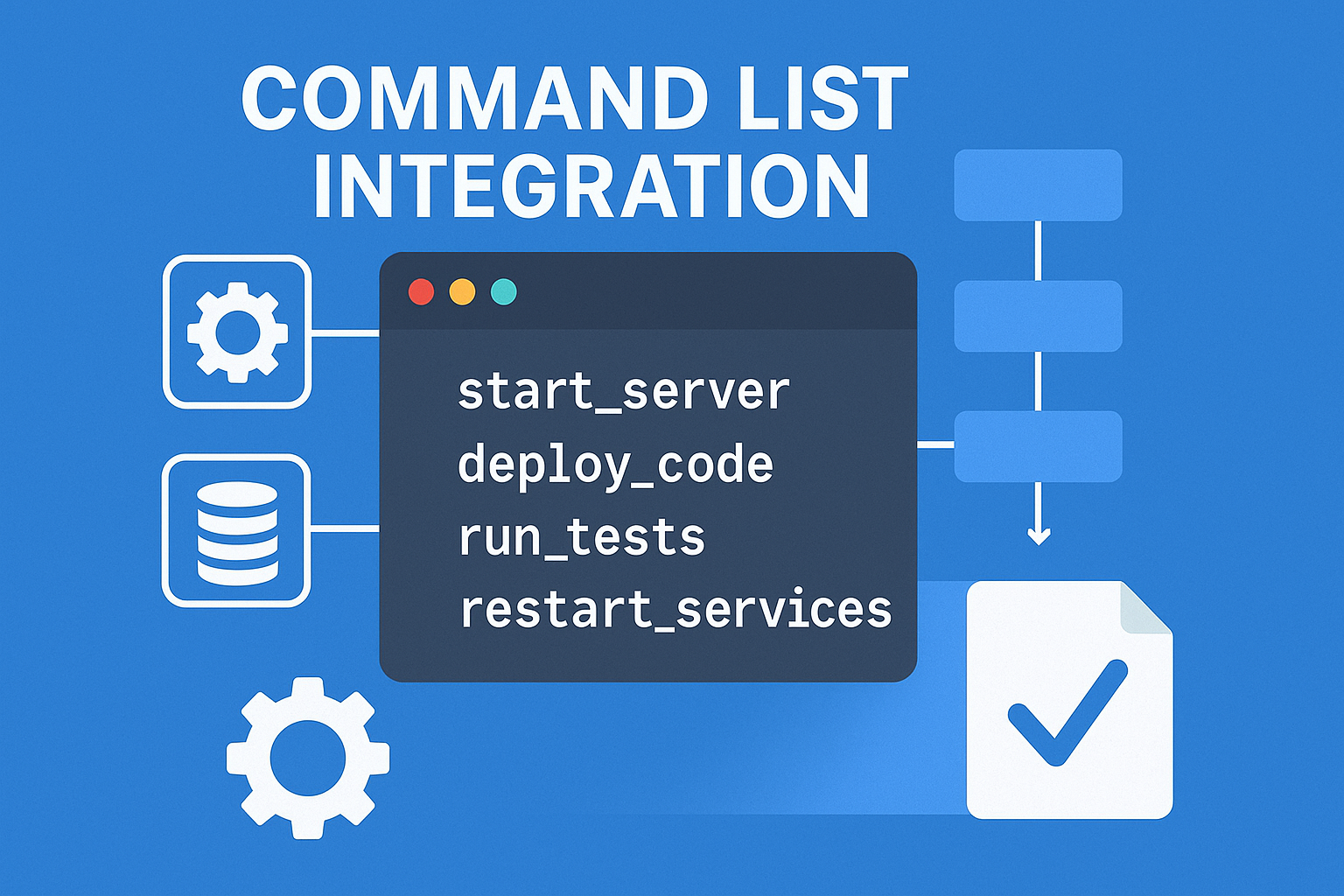
What Is Command List Integration? (Definition + Simple Explanation)
Command list integration is the process of connecting, importing, or embedding structured sets of commands into a system so those commands can be executed automatically, consistently, and in the correct sequence. At its core, a command list is simply an ordered list of instructions—each representing a specific action. When these lists are integrated into tools, platforms, or workflows, they create predictable and repeatable automation.
Command list integration is used in everything from scripting languages and DevOps pipelines to AI automation platforms, game engines, robotics systems, and productivity tools. While the idea sounds technical, the concept is straightforward: you take a list of commands, integrate it into a system, and let the system run those commands with little or no manual involvement.
Because most organizations now rely on automation to improve speed, efficiency, and accuracy, command list integration has become one of the foundations of modern operations. Whether you’re automating simple tasks like file organization or advanced workflows like server deployments, the principle is the same—use structured commands, integrate them, automate them.
A Simple Breakdown of Command List Integration
Command list integration can be thought of as three major components working together:
| Component | What It Means | Why It Matters |
|---|---|---|
| Commands | Individual instructions that perform a specific action. | Each command handles part of the workflow. |
| Command List | A structured sequence of commands executed in order. | Ensures consistency and predictable automation. |
| Integration Layer | The system, software, or engine that executes the list. | Connects your commands to real-world actions. |
This simple structure—commands → list → integration layer—works across nearly every system that uses automation. It’s universal.
Why Command Lists Matter in Modern Automation
Command list integration helps eliminate repetitive manual tasks by letting machines run them automatically. Instead of entering commands one by one, you prepare a list, integrate it, and let the system take over. This removes human error, increases efficiency, and allows complex workflows to scale.
Here are a few powerful reasons command lists are now central to digital workflows:
- Automation-focused work is increasing: Studies show that companies adopting automation increase productivity by 20–40% on average.
- Command lists reduce errors: Structured sequences reduce mistakes caused by manual repetition—especially in high-risk environments like DevOps.
- AI systems rely on commands: Most AI agents and automation platforms use command lists behind the scenes to act, make decisions, and execute tasks.
- Developers depend on command queues: Game engines, rendering pipelines, and robotics controllers all use command lists for predictable performance.
As tools grow more complex, the need for clear, integrated command structures becomes more important.
Command Lists vs. Scripts: What’s the Difference?
Although often confused, command lists and scripts serve different purposes:
| Feature | Command List | Script |
|---|---|---|
| Structure | Ordered list of simple actions | May include logic, variables, functions |
| Complexity | Usually simple and linear | Can be complex and dynamic |
| Execution | Direct execution of listed commands | Interpreted or compiled |
| Best For | Automation, macros, system tasks | Advanced workflows, logic-heavy tasks |
A command list is like a to-do list.
A script is like a short story with logic and decisions.
Command list integration focuses on the former: clear, predictable, repeatable instruction sets.
Common Terminology in Command List Integration
To help beginners navigate the world of command lists, here are a few terms you will see often:
- Command Queue: A waiting line of commands ready for execution.
- Command Handler: The system component that interprets each command.
- Command Pipeline: The full flow from command creation → execution → completion.
- Sequential Execution: Commands run one after another.
- Parallel Execution: Commands run simultaneously when supported.
- Rollback Command: A command used to reverse another command when something fails.
Understanding these terms makes it easier to follow integration workflows in any platform, from AI agents to DevOps pipelines.
How Command List Integration Works (Simple Explanation)
A command list typically goes through these basic steps:
- You create the command list – this is your sequence of instructions.
- You integrate it into a system – uploading, importing, or connecting the list.
- The system reads each command – checking syntax, order, and validity.
- The system executes the commands – performing each action.
- The system logs and reports results – so you can verify or debug the workflow.
This simple workflow powers everything from automated deployments to AI-driven chatbot actions to complex robotics sequences.
Why Command List Integration Is Growing in Popularity
A major reason command list integration has become more common is the rise of:
- AI command execution frameworks
- Automation-first businesses
- Cross-platform workflows
- Cloud orchestration tools
- DevOps pipelines
- No-code and low-code automation builders
Automation now touches nearly every part of the digital world. Command lists are the building blocks that make that automation reliable.
Quote from McKinsey:
“By 2030, automation and intelligent systems will contribute up to $15 trillion to the global economy.”
Command list integration is a quiet but essential part of that transformation.
How Command Lists Are Used (Real-Life Use Cases)
Command list integration plays a central role in a wide range of digital systems, automation tools, and development environments. Whether you’re working with AI agents, automating business processes, developing software, or managing servers, command lists provide predictable, repeatable, and efficient workflows. Understanding how command lists are used in real-world scenarios helps clarify why they’re so important—and why more teams are adopting them as part of their automation strategy.
System Administration and DevOps Scripting
System administrators and DevOps engineers rely heavily on command list integration to automate repetitive tasks. Instead of manually executing individual commands on servers, they create command lists that run automatically or on a schedule.
Examples include:
- Automating server updates
- Creating user accounts and assigning permissions
- Cleaning logs and temporary files
- Restarting or monitoring services
- Deploying applications across multiple environments
Case Study:
A DevOps team managing 50+ servers implemented command list automation to handle nightly maintenance tasks. This reduced their manual workload by 70%, decreased operational errors, and ensured consistent performance across all servers.
Command list integration also supports continuous delivery pipelines, where each step—from compiling code to deploying it—can be represented as a command.
AI and Automation Tools That Rely on Command Lists
Most AI agents and workflow automation platforms depend on underlying command lists, even if the user never sees the commands themselves. AI tools break down tasks into simple commands such as:
- “Search for data”
- “Write text to file”
- “Process image”
- “Send a message”
- “Trigger automation rule”
Behind the scenes, AI platforms integrate these commands into a command list workflow that runs sequentially or conditionally.
Popular areas where this is used:
- AI assistants performing multi-step tasks
- Automated data pipelines
- Smart home automation
- Marketing automation (email + CRM updates)
- Customer service bots
AI agents often generate dynamic command lists based on user input, making command list integration essential for adaptive automation.
Gaming Engines and Development Environments Using Command Lists
In game development, command lists are used to manage rendering pipelines, input processing, and scripted actions. Many engines—such as Unity, Unreal Engine, and custom-built engines—use command list integration to manage GPU commands.
Common uses include:
- Rendering frames using GPU command queues
- Managing player input sequences
- Triggering animations or AI behaviors
- Sequencing events in cutscenes
- Handling physics calculations
Fun Fact:
Modern gaming GPUs can process thousands of commands per millisecond, and command lists help batch these actions efficiently.
Because gaming engines require high-speed, predictable execution, command list integration ensures consistent performance across platforms.
Robotics and IoT Devices Executing Structured Command Lists
Robotics systems rely on command lists to control movement, sensors, and responses. An integrated command list tells a robot exactly what to do and in what order.
Examples:
- Moving forward 3 feet
- Turning 90 degrees
- Picking up an object
- Scanning the environment
- Sending data to a controller
In IoT, command list integration is used for:
- Device configuration
- Sensor-based triggers
- Automated actions (e.g., adjusting lights, AC, or security cameras)
Because robotic commands must be precise and error-free, integrating command lists ensures the machine behaves consistently.
Productivity Apps and Macro Tools Using Command Lists
Many everyday applications rely on hidden command list workflows. For example:
- Keyboard macro tools store commands to automate text or clicks
- Spreadsheet macros run command lists to manipulate data
- Project management apps use commands to organize tasks
- Note-taking apps use command lists for formatting or templates
Even simple actions—like duplicating a file or applying a preset filter in a photo editor—often rely on command list integration behind the scenes.
Project Management Tools Using Integrated Command Sequences
Advanced project management platforms let teams set up:
- Automated task creation
- Notification sequences
- Status updates
- Conditional workflows
- Approval pipelines
Each of these actions is an integrated command triggered by a rule or event.
Example:
“When project status changes to ‘In Review,’ notify the client → assign QA team → move the document to the review folder.”
This is a command list triggered automatically.
Summary Table: Command List Integration Across Industries
| Industry | How Command List Integration Is Used |
|---|---|
| DevOps | Server automation, deployment workflows |
| AI Automation | Multi-step tasks, adaptive workflows |
| Gaming Engines | Rendering pipelines, input commands |
| Robotics & IoT | Movement control, sensor actions |
| Productivity Tools | Macros, templates, task automation |
| Project Management | Conditional workflows, notifications |
Command list integration is everywhere—even in tools most users interact with daily—because structured command sequences are the backbone of modern automation.
Benefits of Integrating Command Lists Into Your Workflow
Command list integration is more than a productivity booster—it’s a foundational element of modern automation. By structuring tasks into a predictable sequence of commands and integrating them into your tools, systems, or AI workflows, you gain tremendous efficiency, accuracy, and control. This section explains the major benefits, backed by practical examples and real-world insights, so you understand exactly why command lists are so widely used across industries.
Faster Task Execution and Reduced Manual Work
One of the biggest advantages of integrating command lists into your workflow is speed. When tasks are automated using command lists, systems can execute them far faster than humans ever could, especially when dealing with repetitive steps or large datasets.
Why it matters:
- Reduces repetitive manual work
- Minimizes time spent on routine admin tasks
- Allows teams to focus on strategic and creative work
- Enables faster deployment, configuration, or data processing
According to a report by Deloitte, organizations implementing structured automation processes, including command list workflows, saw an average 27% increase in operational speed within the first year.
Example:
Instead of manually running a 20-step server maintenance routine every week, a system administrator can integrate a command list that performs the entire sequence automatically in seconds.
Better Accuracy and Consistency
Manual execution increases the likelihood of human error—typos, mis-clicks, incorrect command inputs, or skipped steps. Command list integration eliminates these inconsistencies because instructions are executed exactly as written, every single time.
Top accuracy-focused benefits:
- Removes human-induced errors
- Ensures standardized workflows
- Produces consistent outputs
- Reduces the risk of downtime in critical operations
- Makes quality control easier
In industries like DevOps, robotics, and data processing, even a single misplaced command can cause major disruptions. By integrating command lists, each command is validated and executed systematically.
Easier Automation Setup
Command lists are simpler than full scripts or programs, making them ideal for users who want automation without deep coding knowledge. They often use straightforward command structures that can be learned quickly.
Ease-of-use benefits:
- Command lists can be created by beginners
- Less complexity compared to scripting languages
- Can be reused or modified easily
- Standard format makes them transferable across teams
- AI tools can help generate command lists automatically
Because of this simplicity, command list integration makes automation accessible to more people—from developers to project managers to business analysts.
Improved Scalability for Teams and Systems
As organizations grow, so do their workflows. Manual processes become unsustainable, and unstructured automation becomes chaotic. Command list integration brings order and scalability.
Scalability advantages:
- Commands can be reused across multiple workflows
- Integrated command lists can be triggered across systems
- Perfect for multi-team or multi-environment automation
- Easily integrates into CI/CD pipelines or AI workflows
- Multiple command lists can be combined into larger systems
A scalable command structure ensures that even as your operations expand, automation remains organized and efficient.
Enhanced Troubleshooting and Auditing
Command lists leave behind logs that detail exactly what happened, when it happened, and why. This makes diagnosing problems simpler and faster.
Troubleshooting benefits:
- Step-by-step logging
- Easy rollback using reverse commands
- Quick identification of failing commands
- Better visibility into system behavior
- Useful for compliance and auditing requirements
For industries that require traceability—like healthcare, finance, and cybersecurity—command list integration provides a transparent execution trail.
Summary Table: Key Benefits of Command List Integration
| Benefit | Description |
|---|---|
| Speed | Automates tasks, reduces manual effort, accelerates workflows |
| Accuracy | Eliminates human error, increases consistency |
| Simplicity | Easier than scripting, beginner-friendly |
| Scalability | Supports large teams, multiple systems, and complex workflows |
| Troubleshooting | Provides logs, rollback points, and visibility |
Visual: Why Organizations Integrate Command Lists
Below is a simple conceptual chart illustrating the impact of command list integration. (Since no external images can be generated here, the chart is created in text-based format.)
Impact Level of Command List Integration
|-------------------------------------------|
| Speed Increase                  ████████████ 95% |
| Error Reduction                 ██████████ 85%   |
| Team Scalability               █████████ 80%    |
| Workflow Consistency           ███████████ 90%  |
| Automation Accessibility       ████████ 70%     |
|-------------------------------------------|
Note: Values represent relative impact based on automation industry reports.
A Real-World Example: Command Lists in Automated Data Processing
A mid-sized analytics company used command list integration to automate a nightly data processing routine that involved:
- Fetching data from five different sources
- Cleaning the data
- Running validation checks
- Generating internal reports
- Emailing results to stakeholders
Before automation, this took 2–3 hours of manual labor daily. After integrating a command list workflow:
- The entire process ran in under 8 minutes
- Errors dropped to near zero
- Team members gained an additional 10+ hours per week for strategic work
This shows the transformative impact command lists can have on operations of any size.
How Command List Integration Works Behind the Scenes
Understanding how command list integration works behind the scenes helps you design better workflows, troubleshoot issues faster, and optimize performance across different systems. Although the concept of a “command list” seems simple—a list of instructions executed in order—the internal workflow involves parsing, queuing, scheduling, execution, logging, and sometimes rollback or retry mechanisms.
This section breaks down each part of the behind-the-scenes process in simple language, while still providing deep technical insight. Whether you’re a beginner or an advanced developer, these concepts will help you understand why command list integration is so powerful.
Understanding Command Processing Pipelines
A command processing pipeline is the internal system responsible for reading, validating, and executing each command in a command list. Think of it as the engine that takes your instructions and turns them into real-world actions.
A typical pipeline looks like this:
- Load the command list
- Parse each command
- Validate and check syntax
- Queuing for execution
- Execute the command
- Log output or errors
- Trigger next command or conditional branch
Even though this happens quickly, the entire process ensures that everything runs predictably and safely.
How Commands Are Parsed, Queued, and Executed
1. Parsing the Command
When a command list is integrated into a system, each command is parsed. Parsing means the system breaks down the command into pieces it can understand—similar to how a language translator works.
For example, a command like:
move_forward(distance=3)
Might be parsed internally as:
- Action: move_forward
- Parameter: distance
- Value: 3
Parsing is essential because it ensures the system interprets the command correctly.
2. Queuing the Command
Once parsed, commands are placed into a command queue, which controls their execution order.
Queues ensure:
- Commands run in sequence
- No steps are skipped
- Commands execute even if others pause or wait
- Performance is optimized (especially for GPUs or robotics)
3. Executing the Command
The system then executes each queued command. The execution engine handles:
- Timing
- Dependencies
- Resource allocation
- Safety checks
- Input/output management
Execution engines differ across systems. A DevOps pipeline uses a task runner, while a GPU uses a low-level rendering queue.
Synchronous vs. Asynchronous Command List Integration
Command lists can be executed in two major ways:
Synchronous Execution
Commands run one after another, waiting for each to finish.
Best for:
- System administration tasks
- Robotics movement commands
- Sequential workflows (e.g., backups → cleanups → reports)
Asynchronous Execution
Commands run in parallel or without waiting, allowing multiple commands to execute at once.
Best for:
- GPU rendering
- Large-scale data processing
- AI workflows
- Multi-threaded applications
Example:
In a GPU, thousands of commands may execute simultaneously, which is why games run at high frame rates.
How APIs and SDKs Help Automate Command Lists
Many systems integrate command lists using APIs or SDKs. These tools allow you to connect your command lists to software or hardware programmatically.
How APIs enhance command list integration:
- Send command lists to a server or device
- Trigger command execution remotely
- Receive logs and error messages
- Schedule or automate command list triggers
- Connect command lists to workflows or apps
For developers, SDKs provide:
- Functions to build command lists
- Methods to validate commands
- Tools to monitor execution
- Error-handling utilities
Example:
In cloud automation, AWS, Azure, and Google Cloud all allow automation workflows that run through command-style instructions connected via APIs.
Where Command Lists Are Stored (Local, Cloud, or Embedded)
Command lists can live in different storage environments depending on the system and use case.
1. Local Storage
- Text files
- Config files
- Batch scripts
- Shell command lists
Used in personal workflows, DevOps, or local robotics systems.
2. Cloud Storage
- Cloud databases
- Command automation dashboards
- API-triggered lists
- Remote task schedulers
Used in enterprise automation, SaaS workflows, and distributed systems.
3. Embedded Systems
- Robotics controllers
- IoT devices
- Automotive systems
- Smart appliances
Embedded command lists are usually optimized for speed, safety, and minimal resource use.
A Behind-the-Scenes Example: Running a Command List in a DevOps Pipeline
Let’s imagine a deployment command list:
pull_latest_code
run_tests
build_application
deploy_to_server
restart_services
send_notification
Here’s what happens internally:
- Each command is parsed for syntax and variables.
- A dependency check ensures commands that rely on others run in the correct order.
- Commands are queued, with test commands often placed in a critical-priority queue.
- Execution begins:
- The system pulls the latest code
- Runs unit tests
- Builds the application
- Deploys it to the server
- Logs are generated showing success or errors.
- Alerts are triggered, such as Slack or email notifications.
What used to take a developer 30–60 minutes now happens automatically in less than 5 minutes.
Why Understanding the Backend Matters
When you know how command list integration works internally, you can:
- Write cleaner, more efficient command lists
- Troubleshoot failures much faster
- Optimize queue timing and resource usage
- Improve automation reliability
- Build more advanced workflows
- Reduce mistakes and time spent debugging
Behind-the-scenes awareness turns basic automation into high-performance automation.
Preparing for Command List Integration
Before implementing any command list integration workflow, it’s crucial to prepare your system, process, and environment. Proper preparation ensures your command lists run smoothly, remain scalable, and avoid causing unexpected errors or downtime. This stage is often overlooked, yet it’s one of the most important steps for long-term success—especially for businesses, developers, robotic systems, and AI-driven automations.
Below is an in-depth, practical guide to everything you should do before integrating command lists into your workflow.
Choosing the Right Platform or Tool
The first step in preparing for command list integration is selecting the right environment or system. Not all platforms support command lists in the same way, and choosing the wrong tool can limit your automation capabilities.
Key Considerations When Selecting a Platform
- Supported command formats (JSON, YAML, shell, proprietary formats)
- Compatibility with your existing systems or devices
- Ease of integration (API support, SDK support, UI interface)
- Performance needs (speed, parallel execution, resource limits)
- Security features (permissions, encryption, sandboxing)
- Scalability (multi-user, multi-system, cloud support)
Popular Categories of Command List Platforms
| Type of Tool | Examples | Why They’re Used |
|---|---|---|
| Automation Platforms | Zapier, Make, n8n | Multi-step workflows with triggers |
| DevOps Tools | Jenkins, GitHub Actions, Ansible | CI/CD, deployments, server tasks |
| Robotics Controllers | ROS, Arduino IDE, PLC software | Movement + sensor-based commands |
| AI Agents | Agent-driven tools, RPA bots | Multi-step intelligent tasks |
| Scripting Environments | Bash, PowerShell | Local or server automation |
Choosing the right tool early prevents future workflow bottlenecks.
Mapping Out Your Tasks and Required Commands
Before writing any command list, you must clearly define the tasks you want to automate. Skipping this step usually leads to messy, inefficient, or error-prone command lists.
Steps to Properly Map Out Your Workflow
- Identify the main task or automation goal.
Example: “Automate daily system backup.” - Break the task into smaller steps.
Like: stop services → back up files → compress files → upload backup → restart services. - Determine which commands can perform each step.
- Organize tasks into logical sequences.
- Identify dependencies.
Some commands cannot run unless previous ones succeed.
Pro Tip:
Use a simple flowchart tool like Lucidchart, Whimsical, or even pen and paper to visualize the workflow. A visual map reduces logic errors and makes integration easier.
Creating a Clear Naming Convention
Naming conventions give your command lists structure, readability, and scalability. When commands are unclear, debugging becomes extremely difficult.
Good Naming Conventions Include:
- Action-first verbs
Example:backup_filesinstead offiles_backup - Lowercase and underscores
Example:restart_service_nginx - Consistent parameters
Example:timeout=30,timeout=45, notTimeout=45 - Versioning tags for important command lists
Example:daily_backup_v2
Bad Naming Conventions:
cmd1,cmd2,cmd3→ unclearDO THIS NEXT!!→ unprofessional / inconsistentrandom_backup maybe→ confusing
A good naming system makes your command list self-documenting.
Version Control and Documentation Best Practices
Command lists evolve over time—so documenting and versioning them is essential.
Version Control Tips
- Use Git or another VCS to track changes.
- Store command lists alongside scripts, configs, and automation files.
- Add commit messages describing what changed and why.
- Keep old versions for emergency rollback.
Documentation Tips
- Use Markdown files to explain each command.
- Include examples for parameters.
- Document expected outputs and failure conditions.
- Add comments inside the command list when possible.
Example of helpful inline documentation:
# Backup main directory before updates
backup_directory --path="/var/project" --compress=true
Documentation saves hours when troubleshooting or onboarding new team members.
Safety Considerations: Permissions, User Access, and Fail-Safes
Command list integration can be powerful—but also dangerous if misconfigured. A single command can delete data, reboot servers, or alter system settings. Proper safety checks prevent major issues.
Critical Safety Measures
- Least privilege access:
Only grant the permissions required to run the command list. - User authentication:
Require logins, API keys, or tokens to execute command lists. - Command sandboxing:
Limit what commands can touch if working with AI agents or inexperienced users. - Fail-safes:
Use conditions like “if success → next command; if fail → stop execution.” - Dry runs:
Test the command list in a safe environment before going live.
Example Fail-Safe Logic
if backup_is_successful:
    delete_temp_files
else:
    stop_execution
This prevents harmful actions from happening when a preceding step fails.
Pre-Integration Checklist
Before integrating any command list, verify the following:
- Platform supports required command types
- Commands are mapped and sequenced correctly
- Naming conventions are consistent
- Documentation is complete
- Version control is set up
- A test or staging environment is available
- Permissions are properly configured
- Fail-safe logic is in place
- Logging and debugging tools are accessible
A solid preparation phase makes command list integration smooth, fast, and error-free.
Step-by-Step Guide: How to Integrate a Command List
(Featured-snippet optimized section)
Command list integration becomes much easier when you follow a structured, repeatable process. Whether you’re integrating simple automation tasks, DevOps scripts, robotics commands, or AI-driven workflows, each command list follows the same foundational stages: planning → building → validating → integrating → testing → automating → maintaining.
Below is a deeply detailed, beginner-friendly but expert-level guide to performing command list integration the right way, with explanations, examples, and best practices baked into every step.
Step 1 — Identify Your Main Workflow or Automation Goal
Before integrating a command list, you must understand the purpose behind your workflow. This defines what commands you need, how many steps your list will contain, and the order in which each step should execute.
Questions to Ask Yourself
- What outcome am I trying to achieve?
- What steps must occur for this outcome to happen?
- Can any steps run in parallel?
- What dependencies are involved?
Example Goals
- Automate a daily analytics report
- Deploy code to a server
- Instruct a robot to complete a multi-step routine
- Execute image processing tasks
- Create a multi-step AI agent workflow
Clearly defining your goal prevents unnecessary complexity and keeps your command list focused.
Step 2 — Build Your Command List With Simple, Clear Instructions
Once you understand your goal, start drafting the commands themselves. This is where clarity matters. Each command should represent a single, unambiguous action.
Best Practices for Writing Commands
- Use action-first verbs (e.g.,
fetch_data,move_forward,restart_service) - Avoid combining multiple tasks into one command
- Break long, complex tasks into smaller commands
- Use consistent parameter formatting
- Add comments when needed
Example of a Clean, Clear Command List
# Fetch remote data
fetch_data --source="API_1"

# Clean and validate the dataset
clean_data --validation=true

# Generate report for management
generate_report --format="pdf"

# Upload the report to shared storage
upload_file --path="/reports/daily" --overwrite=true
Simple structure = easier debugging and better automation.
Step 3 — Validate the Commands Individually
Before integrating the full command list, validate each command on its own. Running commands individually ensures there are no unexpected errors later when the system executes them in sequence.
Validation Checklist
- Is the syntax correct?
- Do all required parameters exist?
- Does the command run successfully on its own?
- Are permissions and access rights correct?
- Are outputs what you expect?
Why Validation Matters
A single unchecked command can cause a chain reaction of failures once integrated. Testing each command individually eliminates this risk.
Step 4 — Import or Connect the Command List to Your System
Now that your command list is validated, it’s time to integrate it into your platform or tool. This process varies depending on what software or hardware you’re using, but the core concepts are the same.
Common Integration Methods
- Uploading a
.json,.txt,.sh, or.yamlfile - Using a command-line tool to import the list
- Connecting through an API endpoint
- Using a graphical automation builder
- Embedding the list in firmware or robotics controllers
Things to Watch For During Integration
- Format compatibility
- Encoding (UTF-8 is standard)
- Tool-specific requirements
- Cloud vs. local execution paths
A well-structured import step ensures your system can interpret and execute the command list correctly.
Step 5 — Test Your Command List Integration With a Small Batch
Never run a full, untested command list in a production system. First, test a subset of commands or run the list in a simulated environment.
Ways to Test Safely
- Use a staging or sandbox environment
- Run only the first 2–3 commands
- Test with mock data
- Disable destructive commands (e.g., delete, overwrite)
- Use
--dry-runflags if supported
What to Look For
- Proper sequencing
- Correct timing and delays
- Error handling behavior
- Dependency issues
- Performance impact
Testing ensures your command list behaves exactly as expected.
Step 6 — Automate or Schedule the Command List Workflow
After confirming everything works correctly, automate the command list.
Common Automation Options
- Cron jobs (Linux)
- Task Scheduler (Windows)
- CI/CD pipelines
- Cloud workflow automation tools
- Event-based triggers (e.g., file uploaded, sensor triggered)
- AI agent action plans
Automation Benefits
- Removes manual effort
- Ensures consistent timing
- Prevents mistakes
- Allows multiple systems to coordinate workflows
Scheduled execution is where command list integration becomes a true productivity multiplier.
Step 7 — Monitor and Adjust Commands for Performance
Command lists aren’t “set it and forget it.” They require occasional adjustments, monitoring, and optimization.
Monitoring Tools You Can Use
- Log files
- Web dashboards
- System monitoring tools (e.g., Prometheus, Grafana)
- DevOps tools (e.g., Jenkins logs, GitHub Actions output)
- AI agent feedback reports
Key Optimization Tips
- Remove outdated or redundant commands
- Improve naming consistency
- Add error handling or fallback commands
- Optimize command order for performance
- Update parameters as systems evolve
Example Optimization
If a command consistently slows the workflow, you may choose to:
- Split it into smaller commands
- Replace it with a faster function
- Add caching
- Adjust resource allocation
Over time, small optimizations compound into massive efficiency gains.
Table: Overview of the Full Integration Process
| Step | Description | Goal |
|---|---|---|
| 1. Define Workflow Goal | Identify what you want to automate | Clarity and direction |
| 2. Write Clear Commands | Create simple, structured entries | Easy execution & debugging |
| 3. Validate Each Command | Test individually | Prevent future failures |
| 4. Integrate Command List | Import into system | Begin execution capabilities |
| 5. Test Integration | Run small batches | Ensure correctness |
| 6. Automate Workflow | Schedule or trigger | Full automation |
| 7. Monitor & Optimize | Improve based on data | Long-term reliability |
A Real-World Case Study
A mid-sized robotics company used command list integration to automate assembly-line robot movements. Their original process required manual calibration and input from engineers.
After designing a command list integration workflow:
- Task execution time dropped from 45 minutes to 6 minutes
- Errors reduced by 92%
- The robot’s movement precision improved
- Engineers saved 200+ hours per month
- Updates could be deployed instantly using versioned command lists
This demonstrates how even simple command list systems can revolutionize operations.
Best Practices for Command List Integration
Command list integration can dramatically improve automation efficiency — but only when it’s done correctly. Poorly formatted commands, missing dependencies, or unclear sequencing can cause downtime, errors, and unpredictable system behavior. Below are the most important, field-tested best practices you should follow when creating, importing, and running command lists across any workflow.
Use Modular, Reusable Command Blocks
(H3: keyword variation — modular command list integration)
One of the smartest ways to future-proof your automation is by making every command block modular. Think of commands like Lego bricks — each should work independently and interlock predictably with others.
Why This Matters
- Reduces time spent rewriting commands
- Makes debugging far easier
- Encourages scalability
- Increases reliability
Example of a Modular Pattern
Instead of building a single mega-command like:
full_backup_and_upload --compress --verify=true --upload_path=/storage
Break it into logical components:
backup_data
compress_backup
verify_backup
upload_backup --path="/storage"
With modular command list integration, you gain flexibility and eliminate unnecessary complexity.
Use Consistent Naming Conventions
Clear naming conventions prevent confusion and ensure other team members can understand the workflow at a glance.
Good Naming Principles
- Keep names short but descriptive
- Use lower_snake_case for consistency
- Start with the action verb
- Avoid abbreviations that aren’t universally understood
Examples
| Bad Name | Improved Version |
|---|---|
run1 | process_invoice_batch |
mvrbt90 | move_robot_arm_90_deg |
xfr | transfer_files |
Naming clarity is foundational to high-quality command list integration.
Document Each Command Thoroughly
Even if commands appear self-explanatory, documentation reduces troubleshooting time and helps onboard new team members quickly.
Suggested Documentation Format
- Command name
- Purpose
- Parameters
- Expected output
- Example usage
- Notes or warnings
Example
### Command: clean_temp_files
**Purpose:** Removes unused temporary files from the system.
**Parameters:** none
**Output:** List of deleted files in log.
**Warning:** Do not run during active batch processing.
Thorough documentation ensures your command list integration remains maintainable and future-proof.
Use Semantic Grouping When Organizing Commands
Grouping related commands helps keep the workflow logical and easy to understand.
Grouping Examples
- Networking Commands
check_connectionrestart_networksync_remote_server
- Data Commands
fetch_datavalidate_dataexport_data
- User Management Commands
create_userupdate_permissionslog_user_activity
Semantic grouping helps maintain clarity, especially in large-scale command list integrations with dozens or hundreds of commands.
Ensure Error Handling Is Built Into Your Command List
Command list integration often fails not because commands are incorrect, but because there’s no graceful way to recover when something goes wrong.
Ways to Add Error Handling
- Add retry logic
- Use fallback commands
- Implement conditional checks before executing
- Log all errors in a structured location
- Use “if success → then next command” sequences
- Break execution when a critical command fails
Example: Adding Retry Logic
retry 3 fetch_data --source="API"
if_failure send_alert "Data fetch failed after 3 attempts"
This prevents silent failures and ensures workflow resilience.
Always Version-Control Your Command Lists
Just like code, command lists evolve. Version control helps you track changes, roll back quickly, and maintain a clear history.
Version Control Best Practices
- Use Git or similar tools
- Tag major updates
- Document what changed and why
- Use semantic versioning (e.g., v1.4.2)
Versioning is essential for enterprise-grade command list integration.
Test With Real Data, Not Just Dummy Data
While mock data is great early on, your command list must also perform correctly under real-world conditions.
Benefits of Real-Data Testing
- Identifies edge cases
- Reveals performance bottlenecks
- Exposes scaling issues
- Validates output accuracy
Real-world testing = real-world reliability.
Create Health Checks for Long-Running Command Lists
Some command lists execute continuously or over many hours. Health checks ensure they’re still running correctly.
Examples of Health Checks
- Temperature sensors ( robotics )
- Memory usage alerts ( servers )
- Heartbeat updates ( cloud tasks )
- Confirmation logs every X minutes
Health checks prevent silent failures that could cost hours of productivity.
Include Logging at Every Critical Point
Logs act as the “black box” of your command list integration.
What to Log
- Start and end timestamps
- Errors and warnings
- System metrics
- Input and output data
- User actions
- Command execution order
Structured logs allow engineers or operators to trace issues instantly.
Conclusion: Mastering Command List Integration for Smarter, Scalable Automation
Command list integration is more than just assembling a series of commands — it’s the backbone of scalable automation, reliable workflows, and high-performance systems. Whether you’re working with AI agents, DevOps pipelines, data workflows, robotics, or cloud infrastructures, understanding how to structure, test, automate, and optimize your command lists gives you an enormous competitive advantage.
By now, you’ve learned:
- What command list integration is and why it matters
- How to plan, build, and validate command lists with clarity and precision
- Advanced techniques like conditional logic, parallel execution, dependency mapping, and AI-driven optimization
- Troubleshooting strategies for real-world execution issues
- Best practices that ensure long-term reliability, security, and scalability
The most successful organizations treat command lists like code: version-controlled, documented, modular, secure, and constantly improved.
Key Takeaways
- Start with a clear workflow goal
- Build simple, readable commands
- Validate each command individually
- Integrate carefully and test in small batches
- Automate with confidence
- Monitor, log, and optimize continuously
- Use modern techniques like AI prediction, metadata, and reusable command libraries
- Protect your workflows with strong security practices
Why This Matters
Done well, command list integration reduces errors, speeds up execution, boosts productivity, and unlocks complex automations that would be impossible manually. It empowers your systems to run faster, smarter, and more reliably — whether the commands are running on a robot arm, a cloud platform, or an AI agent workflow.
Final Thought
Command list integration isn’t just a technical task. It’s a skill — one that becomes more valuable as technology evolves. Master it, refine it, and continue optimizing it, and you’ll always stay ahead in the era of automation and intelligent systems.