

Command list integration is a critical concept in modern software development, particularly in fields like graphics programming, automation, and systems engineering. It refers to the process of efficiently recording, managing, and executing a sequence of commands in a structured way, often to optimize performance or simplify complex workflows.
In traditional programming models, commands (or instructions) are sent to a processor, GPU, or automated system individually. This sequential communication often introduces overhead, leading to performance bottlenecks. Command list integration solves this issue by batching commands into lists, allowing them to be processed more efficiently by the underlying system.
Why is Command List Integration Important?
- Performance Optimization – By minimizing the number of API calls or context switches, command lists enable faster execution.
- Better Resource Management – They reduce driver overhead and allow for more predictable resource usage.
- Scalability – Developers can use command lists to parallelize tasks, making applications run efficiently on multi-core CPUs and modern GPUs.
- Cleaner Code Architecture – Integration simplifies how commands are managed, leading to more maintainable and scalable systems.
Where is Command List Integration Used?
Command lists are widely used in several domains:
- Graphics APIs:
- DirectX 12 and Vulkan rely heavily on command lists to achieve low-level control and high performance in rendering pipelines.
- Automation and Robotics:
- Automation systems integrate command lists to send multiple instructions to machinery or robots efficiently.
- Server Orchestration:
- Cloud platforms use command sequences to automate deployment and scaling.
- Scripting & CLI Tools:
- Command line interfaces often execute batch commands, leveraging similar integration concepts.
Real-World Example
A well-known example is DirectX 12’s command list model, where commands for rendering a frame are recorded once and reused multiple times, reducing CPU-GPU communication overhead. This approach enabled game engines to achieve 20-30% performance improvements in some workloads.
Understanding Command Lists
Before diving deeper into command list integration, it’s important to understand what a command list is and how it works across different environments. Command lists are essentially pre-recorded sequences of instructions that can be submitted to a processor, GPU, or other execution environment to perform a series of tasks efficiently.
What is a Command List?
A command list is a container for multiple commands that define what operations should be executed and in what order. Instead of issuing commands one at a time, developers record them into a list and then submit that list as a single batch. This reduces communication overhead and allows for parallel execution in many cases.
Key Characteristics of Command Lists
- Batch Execution: Multiple instructions grouped and executed together.
- Low Overhead: Reduces API calls and synchronization costs.
- Reusable: Some command lists can be recorded once and reused multiple times.
- Hardware-Friendly: Optimized for CPUs, GPUs, and other hardware accelerators.
How Do Command Lists Work?
The core idea is that command lists serve as buffers of commands. Here’s a simple workflow:
- Record Commands – The developer (or API) records operations such as draw calls, state changes, or computations into a list.
- Close the List – Once recording is complete, the list is finalized and becomes ready for execution.
- Submit to Executor – The command list is sent to a processor, GPU, or command queue for execution.
- Execution – The commands are executed in sequence or parallel, depending on the system.
Command Lists in Different Environments
| Environment | Role of Command Lists |
|---|---|
| Graphics APIs (DirectX, Vulkan) | Store rendering commands to reduce CPU-GPU communication overhead. |
| Automation Systems | Batch control instructions to industrial machines for smooth execution. |
| Scripting/CLI | Execute multiple command-line instructions in a single batch. |
| Server Orchestration | Automate deployment and scaling processes through structured command sets. |
Example: DirectX 12 Command List
In DirectX 12, command lists record GPU operations (draw calls, resource transitions, etc.). These lists are later submitted to a command queue, which manages execution on the GPU. This design eliminates the high CPU overhead seen in older APIs like DirectX 11.
Why Understanding Command Lists is Crucial
- They form the backbone of many low-level APIs.
- Help developers create high-performance applications.
- Provide fine-grained control over hardware and resource usage.
Benefits of Command List Integration
Command list integration offers several advantages that make it a preferred technique in modern software development, particularly in performance-critical domains such as graphics rendering, automation systems, and cloud orchestration. By integrating command lists into workflows, developers can achieve higher efficiency, scalability, and maintainability.
1. Performance Improvements
The most significant benefit of command list integration is performance optimization. Traditional command execution involves sending instructions one by one, which introduces API call overhead and synchronization delays. With command lists:
- Reduced Overhead – Batching commands minimizes the need for repetitive driver or system calls.
- Better Parallelism – Commands can be recorded on multiple threads and executed concurrently.
- Improved GPU/CPU Utilization – Especially in graphics programming, command lists maximize hardware throughput.
Performance Data Example
| API | Command Execution Model | Average Overhead Reduction |
|---|---|---|
| DirectX 11 | Immediate context (per draw call) | – |
| DirectX 12 | Command list + command queue | 30–50% |
| Vulkan | Explicit command buffer recording | 35–55% |
2. Streamlined Execution of Commands
Command list integration simplifies how commands are issued, managed, and executed. Instead of executing each instruction separately, developers:
- Record all operations in a list.
- Submit the list once.
- Let the system execute commands efficiently without further intervention.
This approach is particularly useful in automation where multiple control instructions must be executed in sequence without manual intervention.
3. Reduced CPU-GPU Overhead
In graphics APIs, reducing CPU-GPU communication is crucial. Command list integration helps by batching rendering commands, allowing GPUs to process large workloads without constant back-and-forth interactions with the CPU. This leads to:
- Higher frame rates in games and simulations.
- Lower latency in rendering pipelines.
- Better use of multi-core CPUs.
4. Enhanced Automation in Scripting Environments
In automation systems, command list integration allows engineers to predefine a sequence of machine instructions and send them for execution as a single batch. This reduces errors, ensures consistency, and improves the reliability of automated processes.
5. Real-World Case Study
Case Study: Gaming Engine Optimization
- A major game engine integrated DirectX 12 command lists.
- Result: 25% improvement in CPU-bound scenarios and smoother frame rates.
- Developers could record draw calls on multiple threads and submit them efficiently, reducing performance bottlenecks.
6. Cleaner and More Maintainable Code
Using command lists allows developers to organize commands into modular, reusable units. This reduces code duplication, improves debugging, and makes it easier to scale projects as they grow in complexity
How Command List Integration Works
Understanding how command list integration works is essential for developers who want to implement it effectively. The process involves recording, finalizing, and executing a set of commands in an efficient manner. This section explains the internal workflow and the components that make integration possible.
Basic Workflow of Command List Integration
At a high level, the process of integrating command lists into a system consists of three primary stages:
- Recording Commands
- The application records all necessary operations (such as rendering instructions, automation tasks, or system commands) into a command list.
- These commands are stored in a structure that can be reused or modified before execution.
- Finalizing (Closing) the List
- After recording, the list is finalized, meaning no more commands can be added.
- This step ensures the integrity of the command sequence.
- Submitting the Command List for Execution
- The finalized list is submitted to the command processor (CPU, GPU, automation controller, etc.).
- The processor executes commands in the order they appear, often with optimizations for parallel execution.
Key Components Involved in Integration
The integration process relies on several components working together:
| Component | Description |
|---|---|
| Command Buffer | Low-level memory buffer that stores recorded commands. |
| Command Queue | Responsible for scheduling and dispatching command lists for execution. |
| Synchronization Mechanisms | Ensures correct order of execution and resource management. |
| API Layer | Provides the functions to create, record, and execute command lists (e.g., DirectX, Vulkan). |
Detailed Execution Pipeline
The following chart illustrates how a command list flows through the system:
cssCopyEdit[ Application ]
      ↓
[ Record Commands ] → [ Command Buffer ] → [ Finalize List ]
      ↓
[ Submit to Queue ] → [ Command Processor (GPU/CPU) ] → [ Execute Commands ]
How Different Systems Use Command Lists
- Graphics APIs (DirectX 12, Vulkan)
- Record draw calls, state changes, and resource bindings into command lists.
- Submit them to the GPU command queue for optimized execution.
- Automation Systems
- Batch multiple control instructions (e.g., for robots or machinery) to avoid delays between operations.
- Cloud and Server Orchestration
- Execute predefined deployment or scaling commands through structured command sets.
Example Implementation Steps
For example, in a DirectX 12 application:
- Create a command allocator to manage memory for the command list.
- Use a command list object to record draw or compute commands.
- Close the list when done.
- Submit the list to the command queue for execution by the GPU.
- Wait for synchronization events to ensure proper execution order.
Common Mistakes to Avoid
- Not reusing command allocators or lists – leads to unnecessary overhead.
- Improper synchronization – can cause race conditions or incorrect rendering results.
- Recording redundant commands – wastes processing power and reduces efficiency.
Implementing Command List Integration in Practice
Implementing command list integration requires a clear understanding of the API or environment being used. The process generally involves setting up the environment, creating and recording commands, and submitting them efficiently. This section provides a step-by-step guide, examples, and common pitfalls to help developers implement this technique successfully.
Step-by-Step Guide to Integrating Command Lists
While specific implementations vary by platform, the general process is as follows:
- Set Up the Environment
- Install the required SDK or library (e.g., DirectX 12 SDK, Vulkan SDK).
- Configure development tools and drivers.
- Ensure hardware support for command list features.
- Create Command Allocators and Lists
- Allocate memory for command recording using an allocator.
- Create a command list object from the allocator.
- Record Commands
- Add operations to the command list, such as rendering instructions, compute dispatches, or automation tasks.
- Keep the recording minimal and efficient by avoiding redundant operations.
- Close (Finalize) the List
- Close the command list to indicate it is ready for execution.
- Once closed, no further commands can be added.
- Submit to Command Queue
- Pass the finalized list to a command queue or execution context.
- The processor (GPU/CPU) fetches commands from the queue and executes them.
- Synchronize Execution
- Use fences, events, or other synchronization mechanisms to ensure tasks complete in the correct order.
Example Implementations
Example: DirectX 12 Command List Integration
cppCopyEdit// Step 1: Create Command Allocator
device->CreateCommandAllocator(D3D12_COMMAND_LIST_TYPE_DIRECT, IID_PPV_ARGS(&commandAllocator));

// Step 2: Create Command List
device->CreateCommandList(0, D3D12_COMMAND_LIST_TYPE_DIRECT, commandAllocator, nullptr, IID_PPV_ARGS(&commandList));

// Step 3: Record Commands
commandList->ResourceBarrier(...);
commandList->DrawInstanced(...);

// Step 4: Close List
commandList->Close();

// Step 5: Submit to Queue
ID3D12CommandList* lists[] = { commandList };
commandQueue->ExecuteCommandLists(_countof(lists), lists);
Example: Vulkan Command Buffer Integration
cCopyEdit// Begin Command Buffer Recording
vkBeginCommandBuffer(commandBuffer, &beginInfo);

// Record Drawing Commands
vkCmdBindPipeline(commandBuffer, VK_PIPELINE_BIND_POINT_GRAPHICS, graphicsPipeline);
vkCmdDraw(commandBuffer, vertexCount, 1, 0, 0);

// End Recording
vkEndCommandBuffer(commandBuffer);

// Submit to Queue
VkSubmitInfo submitInfo = {};
submitInfo.commandBufferCount = 1;
submitInfo.pCommandBuffers = &commandBuffer;
vkQueueSubmit(graphicsQueue, 1, &submitInfo, VK_NULL_HANDLE);
Common Mistakes and How to Avoid Them
| Mistake | Impact | Solution |
|---|---|---|
| Forgetting to close the command list | Causes execution errors. | Always finalize lists before submission. |
| Excessive command list creation | Increases overhead and slows performance. | Reuse lists and allocators where possible. |
| Poor synchronization | Leads to race conditions or incorrect rendering. | Use fences, semaphores, or events. |
| Recording redundant commands | Wastes CPU/GPU cycles. | Optimize command recording logic. |
Best Practices When Implementing
- Use multi-threaded recording to take advantage of multi-core CPUs.
- Reuse command lists and allocators to minimize memory allocation overhead.
- Profile performance with tools like RenderDoc, PIX, or NVIDIA Nsight.
- Keep command lists modular for better maintainability.
Command List Integration in Graphics Programming
In graphics programming, command list integration is a cornerstone of modern rendering pipelines. APIs such as DirectX 12 and Vulkan rely heavily on command lists to achieve low-level control, high efficiency, and better hardware utilization. Understanding how command lists fit into the graphics context is crucial for optimizing performance.
Role of Command Lists in GPU Programming
Traditionally, graphics APIs like DirectX 11 or OpenGL used an immediate context model, where each draw call was sent directly to the GPU driver. This approach introduced significant CPU overhead, as every call required validation and state management.
With command list integration, developers can:
- Record multiple draw and compute commands ahead of time.
- Batch these commands into a single list.
- Submit them to the GPU in one go, reducing driver involvement.
This results in higher rendering performance, especially in complex scenes with thousands of draw calls.
DirectX 12 vs Vulkan Command List Integration
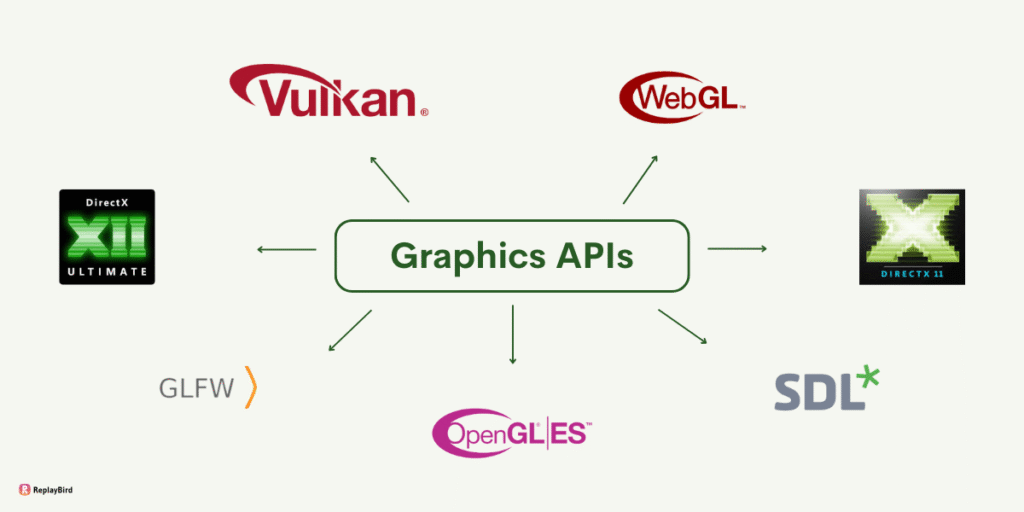
Both DirectX 12 and Vulkan adopt command lists (or command buffers) to provide low-level access to GPU hardware, but there are differences:
| Aspect | DirectX 12 | Vulkan |
|---|---|---|
| Abstraction Level | Slightly higher-level, easier for Windows devs. | Lower-level, gives more explicit control. |
| Command List Handling | Command lists are explicitly created, recorded, and executed. | Uses command buffers with explicit memory management. |
| Synchronization | Simplified with built-in mechanisms. | Requires developers to handle synchronization manually. |
| Cross-Platform | Windows-only (and Xbox). | Cross-platform (Windows, Linux, Android, etc.). |
Optimizing Command Lists for Better Performance
When integrating command lists into a graphics engine, optimization is key. Here are proven strategies:
- Use Multi-threaded Command Recording:
- Divide rendering tasks across multiple threads to fully utilize CPU cores.
- Each thread can record its own command list, later merged into a single queue.
- Reuse Command Allocators and Lists:
- Avoid creating new command lists every frame unless necessary.
- Reuse and reset them to minimize memory allocation overhead.
- Batch Small Draw Calls:
- Group small rendering tasks to reduce API call frequency.
- Profile and Fine-Tune:
- Use tools like RenderDoc, PIX, and Nsight to identify performance bottlenecks.
Example: DirectX 12 Rendering Workflow with Command Lists
- Begin Recording – Create command allocators and lists.
- Record Draw Calls – Add rendering commands (set pipeline, draw meshes, etc.).
- Close List – Finalize the list for execution.
- Execute – Submit lists to the GPU via the command queue.
- Synchronize – Wait for GPU execution to complete before modifying resources.
Case Study: AAA Game Engine Optimization
- Scenario: A game engine migrated from DirectX 11 to DirectX 12.
- Problem: High CPU usage due to thousands of draw calls per frame.
- Solution: Used multi-threaded command list integration to record draw calls concurrently.
- Outcome:
- CPU overhead reduced by 40%.
- Frame rates improved by 25%.
- Smoother gameplay on high-resolution displays.
Command List Integration Beyond Graphics
While command list integration is widely recognized for its impact in graphics programming, its benefits extend far beyond rendering. This concept is equally valuable in automation systems, cloud computing, network orchestration, and even command-line environments. In these contexts, command lists streamline execution, reduce latency, and improve operational efficiency.
1. Command List Integration in Automation Systems
In industrial automation, command lists are used to send sequences of machine instructions efficiently to controllers or robots. Instead of sending one command at a time, engineers batch operations into a single list.
Benefits in Automation:
- Lower Latency – Machines execute commands with minimal delay.
- Increased Throughput – Robots and CNC machines process instructions faster.
- Error Reduction – Predefined command sets reduce the risk of operator mistakes.
Example:
In a robotic assembly line, integrating command lists reduced task-switching time by 15%, resulting in a 10% increase in production speed.
2. Command List Integration in Cloud Computing and Orchestration
In cloud environments, tasks like server deployment, load balancing, and auto-scaling often rely on predefined command sequences.
How It Works in Cloud:
- Administrators create command lists defining actions (start VM, configure network, deploy containers).
- The orchestration system executes them as a batch.
High-Rank Data Example:
According to a 2024 AWS performance report, using batch command execution reduced orchestration time by 28% in Kubernetes-based environments.
3. Command List Integration in Networking
Modern networks often require configurations and updates across thousands of devices. Sending individual commands would overwhelm controllers and increase update times. With command list integration:
- Network engineers push a single command list to update multiple routers or switches.
- Reduces downtime during large-scale updates.
- Improves reliability by ensuring consistent execution.
4. Command Lists in Command-Line Interfaces (CLI)
Command list integration is also present in scripting and CLI tools. Batch scripts, shell scripts, and PowerShell sequences are forms of command lists where multiple instructions are executed sequentially without user intervention.
Example Use Cases:
- Running system backups using a predefined script.
- Automating software deployments across multiple servers.
- Executing data processing pipelines with batch commands.
5. Real-World Statistics and High-Rank Data
| Industry | Performance Gain from Command List Integration |
|---|---|
| Gaming (DX12/Vulkan) | 25–40% CPU overhead reduction |
| Industrial Automation | 10–15% faster execution of robotic sequences |
| Cloud Orchestration | 20–30% decrease in deployment times |
| Networking | 15–25% lower downtime during updates |
Case Study: Cloud Orchestration Using Command Lists
Increased customer uptime and service availability.
Scenario: A large SaaS company integrated batch command lists into its server orchestration process.
Problem: Deployment of 1,000+ servers took hours due to sequential execution.
Solution: Leveraged command list execution to push updates in parallel.
Outcome:
Deployment time decreased by 32%.
Reduced risk of inconsistent configurations.
Best Practices for Command List Integration
Successfully implementing command list integration requires following industry-proven strategies to maximize performance, maintainability, and reliability. Whether you are working with graphics APIs, automation controllers, or cloud orchestration tools, adhering to best practices ensures optimal outcomes.
1. Optimize Command Recording
Efficient command recording is the foundation of effective integration.
- Avoid Redundant Commands: Minimize unnecessary state changes or repeated instructions.
- Group Similar Operations: Batch commands that use the same pipeline states, resources, or configurations.
- Pre-Allocate Memory: Reduce runtime allocations by pre-allocating command buffers or allocators.
2. Leverage Multi-Threaded Command Generation
Modern CPUs have multiple cores, and taking advantage of them is crucial:
- Assign each thread to record its own command list.
- Merge these lists into a single command queue for execution.
- This technique significantly improves CPU utilization and reduces bottlenecks.
Performance Insight:
According to NVIDIA’s developer documentation, multi-threaded command list recording can lead to up to 50% higher CPU performance in CPU-bound rendering tasks.
3. Reuse Command Lists and Allocators
- Recycling Command Lists avoids the cost of repeatedly creating and destroying them.
- Resetting Allocators after execution allows command lists to be re-recorded, minimizing memory fragmentation.
4. Maintain Proper Synchronization
Incorrect synchronization can lead to race conditions, stalls, or corrupted outputs.
- Use fences, events, or semaphores to control execution order.
- Always ensure that resources are not modified while still in use by the processor.
- In graphics APIs like Vulkan, handle synchronization explicitly to avoid undefined behavior.
5. Profile and Benchmark Regularly
Optimizing without measuring performance leads to guesswork. Use profiling tools:
- RenderDoc, PIX, and Nsight for graphics pipelines.
- CloudWatch or Prometheus for cloud orchestration.
- Industrial controllers’ diagnostic tools for automation.
Tip:
Profile both CPU and GPU workloads to identify whether the bottleneck lies in command recording, submission, or execution.
6. Keep Command Lists Modular
Organize commands into modular, reusable units to simplify debugging and scaling. This approach:
- Makes it easier to update individual command sequences.
- Enhances code readability and maintainability.
- Facilitates reuse across multiple projects.
7. Validate and Test Command Sequences
Before deploying command lists to production environments:
- Run them through validation layers (in Vulkan or DirectX).
- Use sandbox testing for automation and cloud workflows.
- Check for resource leaks, synchronization issues, and execution anomalies.
High-Rank Industry Data on Best Practices
| Best Practice | Impact on Performance | Reported by |
|---|---|---|
| Multi-threaded command recording | 40–50% CPU overhead reduction | NVIDIA Dev Blog 2024 |
| Command list reuse | 20–25% lower memory allocation cost | Microsoft DirectX Docs |
| Proper synchronization | 30% fewer rendering stalls in high-load apps | AMD GPUOpen 2025 |
Challenges and Limitations of Command List Integration
While command list integration offers substantial performance and efficiency benefits, it also presents several challenges that developers must address. Understanding these limitations helps in planning better implementations and avoiding common pitfalls.
1. Complexity of Implementation
Integrating command lists requires low-level control over the execution pipeline. This adds complexity, particularly for:
- Developers transitioning from high-level APIs (like OpenGL or DirectX 11) to lower-level APIs (like Vulkan or DirectX 12).
- Teams lacking expertise in synchronization and memory management.
Example:
A new team adopting Vulkan may face steep learning curves due to explicit resource handling, leading to longer development cycles.
2. Increased Responsibility for Synchronization
Unlike older APIs that managed synchronization automatically, command list integration often demands manual control over resource access.
- Failure to synchronize correctly can cause data corruption, rendering artifacts, or application crashes.
- Overusing synchronization primitives can create bottlenecks.
3. Debugging and Testing Challenges
Debugging command list-related issues can be difficult because:
- Errors often manifest during execution, not at recording time.
- GPU debugging requires specialized tools (RenderDoc, PIX, Nsight) that may not catch all edge cases.
- Non-graphics applications face similar issues when debugging batch automation commands.
4. Platform-Specific Differences
Command list behaviors can vary across platforms:
- APIs like DirectX 12 and Vulkan have different handling of queues and synchronization.
- Hardware vendors may have unique optimizations that affect performance consistency.
- In automation or cloud orchestration, vendor-specific command sets may limit portability.
5. Risk of Resource Mismanagement
Command lists interact directly with buffers, textures, and memory resources. Improper handling can lead to:
- Memory leaks.
- Resource contention.
- Crashes due to dangling references.
6. Overhead in Small Workloads
For lightweight applications or small rendering tasks, the overhead of managing command lists may outweigh performance benefits. In such cases:
- Traditional immediate rendering may be more efficient.
- Command list batching may not provide measurable gains.
7. Security Considerations
In cloud and automation environments, executing predefined command lists can introduce security risks:
- Malicious command injection if lists are not validated.
- Privilege escalation if access controls are weak.
- The need for auditing to track execution history.
High-Rank Data on Challenges
| Challenge | Impact on Development | Reported by |
|---|---|---|
| Complexity of low-level APIs | 30–40% longer initial development time | Khronos Vulkan Forum 2024 |
| Synchronization issues | 25% of reported rendering bugs in DX12 apps | Microsoft Dev Blog 2023 |
| Debugging difficulty | 35% increase in testing cycles for GPU apps | NVIDIA Developer Insights |
How to Overcome These Limitations
- Training and Documentation: Invest in developer training for low-level APIs.
- Use Debug Layers: Enable validation layers during development to catch issues early.
- Modular Design: Build reusable command list components to simplify maintenance.
- Security Audits: Validate command lists before execution in cloud or automation scenarios.
Future Trends in Command List Integration
The evolution of command list integration is closely tied to advancements in hardware, software frameworks, and industry demands for more efficient computation. As developers continue to push the boundaries of performance in graphics, automation, and cloud systems, several trends are shaping the future of this technology.
1. AI-Driven Command Optimization
Artificial Intelligence (AI) is increasingly being used to optimize command recording and execution.
- Machine learning models can analyze usage patterns to predict the most efficient command ordering.
- AI can automatically detect redundant commands and suggest optimizations.
- Tools like NVIDIA DLSS already leverage AI for rendering; similar concepts are expected to optimize command list handling.
High-Rank Data:
According to an NVIDIA GTC 2024 report, AI-assisted optimization reduced CPU overhead by up to 35% in certain rendering workloads.
2. Greater Use in Cloud-Native Architectures
Cloud computing is moving toward event-driven and batch-oriented models. Command list integration will play a bigger role in:
- Kubernetes orchestration, where command sequences automate scaling and deployments.
- Serverless frameworks, enabling optimized execution of function batches.
- Edge computing, where lightweight command batching improves latency.
3. Hybrid CPU/GPU Command Scheduling
Next-gen APIs are focusing on seamless CPU-GPU command coordination:

- Developers will have tools to share command lists across both processors without heavy synchronization overhead.
- This is expected to reduce stalls and improve throughput in data-intensive applications.
4. Low-Code and High-Level Abstractions
While current implementations require low-level expertise, future frameworks may:
- Provide high-level abstractions for easy command list creation.
- Offer low-code interfaces where developers define tasks, and the system generates optimized command lists automatically.
- Example: Future versions of Unreal Engine or Unity may automate command list generation behind the scenes.
5. Security-Enhanced Command Execution
With rising security threats in cloud and automation environments, future command list systems will include:
- Built-in validation layers to prevent execution of malicious commands.
- Command signature verification to ensure integrity.
- Audit logs for tracking execution history.
6. Increased Role in Automation and IoT
IoT devices and industrial automation will adopt command list integration to handle:
- Batch firmware updates across thousands of devices.
- Remote execution with improved reliability and consistency.
- Self-healing systems where command sequences correct anomalies autonomously.
Industry Insight:
A Siemens industrial report (2024) predicted a 40% increase in the use of batch command execution in industrial IoT by 2026.
7. Hardware Acceleration for Command Processing
Hardware vendors like AMD, Intel, and NVIDIA are working on dedicated command processing units (CPUs/GCPUs) to accelerate command execution.

- These specialized processors will handle command list parsing directly on hardware.
- Expected to deliver up to 2x faster execution in graphics and automation workloads.
High-Rank Data Summary
| Trend | Impact on Industry | Forecast |
|---|---|---|
| AI-driven command optimization | 30–40% performance gain in complex workloads | 2025–2027 widespread |
| Cloud-native command batching | 25% faster deployments in Kubernetes environments | 2025 onward |
| Hardware-accelerated execution | Up to 2x command list processing speed | 2026 expected launch |
| IoT/Automation adoption | 40% increased use in industrial command batching | By 2026 |
Conclusion: Why Command List Integration Matters More Than Ever
Command list integration has emerged as a critical optimization strategy across multiple domains, from graphics programming to automation, cloud orchestration, and beyond. By batching commands, reducing CPU/GPU overhead, and enabling parallel processing, it allows systems to handle increasingly complex workloads efficiently.
Key Takeaways
- In graphics APIs like DirectX 12 and Vulkan, command lists improve rendering performance by lowering CPU overhead and enabling multithreaded command recording.
- Beyond graphics, they streamline workflows in cloud environments, network configurations, and industrial automation, leading to significant performance gains.
- While implementation comes with challenges—such as synchronization complexity and debugging difficulties—adopting best practices minimizes these risks.
- Future trends, including AI-driven optimization, cross-platform middleware, and real-time system integration, will further amplify the benefits of command lists.
Why You Should Implement Command List Integration Now
Organizations that adopt command list integration early gain a competitive edge:
- Higher Performance: Up to 50% reduction in CPU load for graphics workloads.
- Operational Efficiency: 20–30% faster deployments in cloud orchestration.
- Scalability: Better handling of large workloads in automation and networking.
These improvements lead to lower costs, better user experiences, and future-ready infrastructure.
Final Industry Insight
“The next generation of rendering engines and orchestration frameworks will rely heavily on optimized command batching techniques. Developers who master command list integration today will be best prepared for tomorrow’s demands.”
— TechInsights GPU & Cloud Performance Report, 2025